

Client Support
I still can't get this thing to work


Re: I still can't get this thing to work
2 years 3 months ago
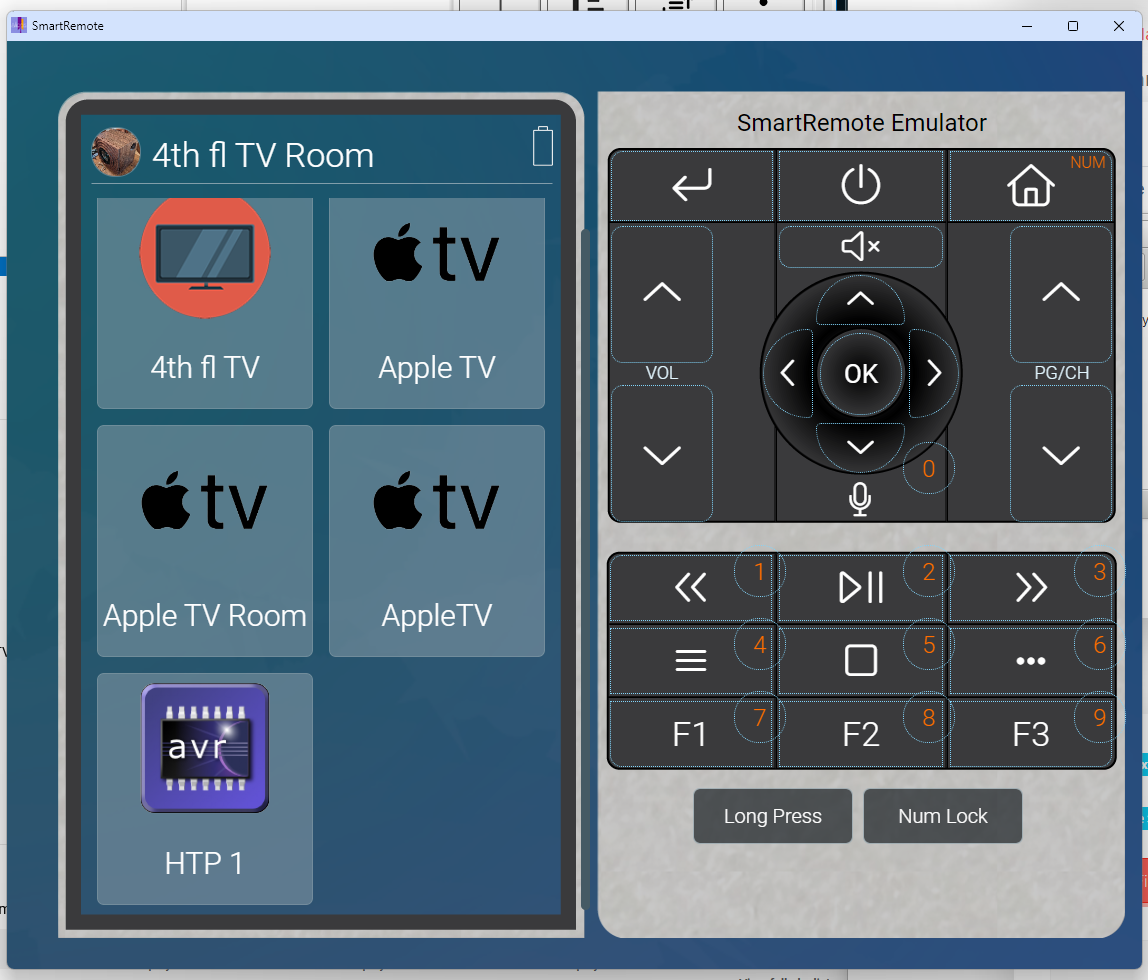
I turned on the remote and it now has buttons on it for my devices and a bunch I didn't setup drivers for like Heos, Sonos, FireTV and Roku.
Progress. One problem is that I don't have consecutive days to work on it so I start from scratch every time.
Progress. One problem is that I don't have consecutive days to work on it so I start from scratch every time.
Please Log in or Create an account to join the conversation.
Re: I still can't get this thing to work
2 years 3 months agoI feel you bud. It took awhile before any of this clicked with me, and that was with the benefit of being able to woodshed it for the first few days after I received my order.One problem is that I don't have consecutive days to work on it so I start from scratch every time.
I'm still not going to say that everything is always entirely intuitive, but nowadays I have plenty of random moments where I come up with something interesting I want to try and within a few minutes of considering the problem I realize that I could make it happen by adding this button here, link it to an overlay there, drop a few lines of instructions in a certain macro and BOOM! Bob's your uncle!
If I remember correctly from your posts on AVS you're like me in that you don't have a programming background, so if you're just getting started with this I'm assuming that this is all intimidating as hell and probably more than a little frustrating. It will get easier as you plug away at it more, I promise.
Please Log in or Create an account to join the conversation.
Re: I still can't get this thing to work
2 years 3 months ago
I want to thank you guys again. I have decided to take the time today and really get into it. So far... Pretty good.
Of course my SR has been on the dock but not charging but it is now.
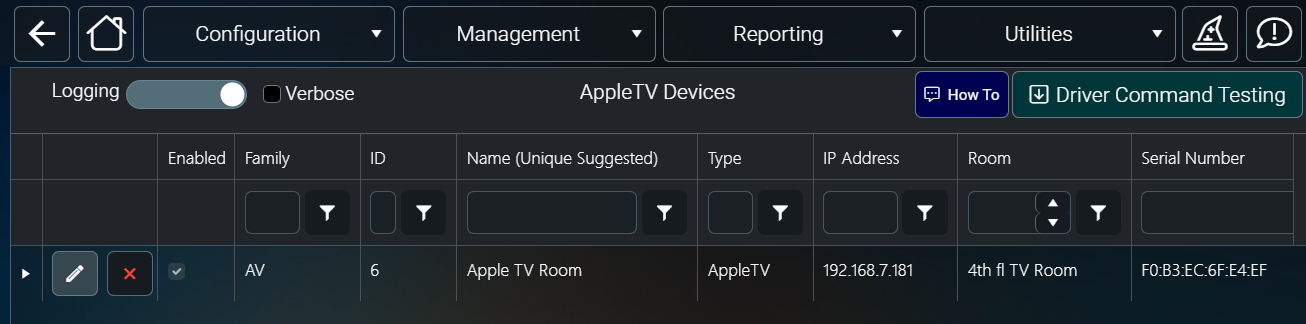
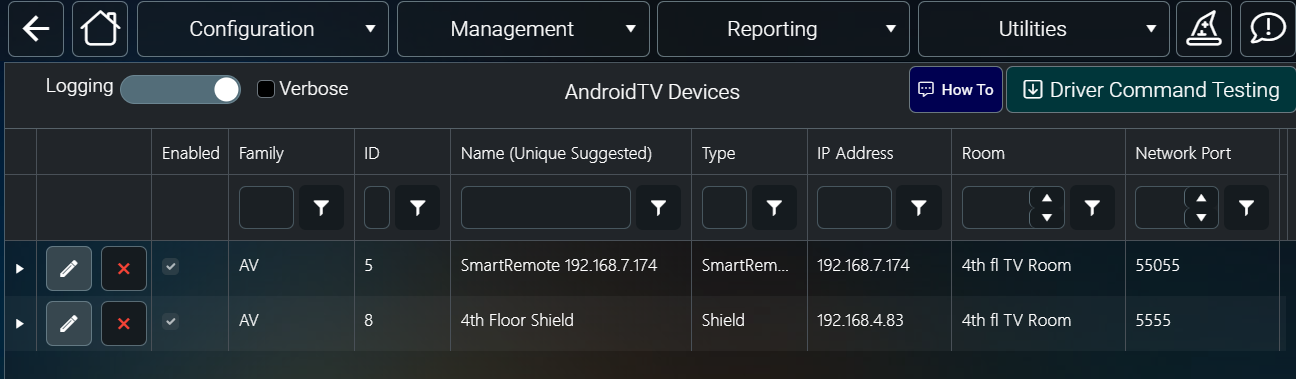
I watched the video Using Myserver and SmartRemote and followed along. Things went pretty well. But I have an issue in MyDesigner where Apple TV shows up 3 times and the Shield doesn't show up at all.
[url=
 allonis 3 apples
by
R B
, on Flickr][img][url=https://flic.kr/p/2q15hya][img]https://live.staticflickr.com/65535/53822091113_ac2ecb308f_c.jpg[/img][/url]
allonis 3 apples
by
R B
, on Flickr[/img][/url]
allonis 3 apples
by
R B
, on Flickr][img][url=https://flic.kr/p/2q15hya][img]https://live.staticflickr.com/65535/53822091113_ac2ecb308f_c.jpg[/img][/url]
allonis 3 apples
by
R B
, on Flickr[/img][/url]
Of course my SR has been on the dock but not charging but it is now.
I watched the video Using Myserver and SmartRemote and followed along. Things went pretty well. But I have an issue in MyDesigner where Apple TV shows up 3 times and the Shield doesn't show up at all.
[url=
Please Log in or Create an account to join the conversation.


Re: I still can't get this thing to work
2 years 3 months ago
looks like you have three different AppleTV devices assigned to the room you were logged into.
in myServer, go into Configuration / Sources and Apps by Room and deselect / delete old or unneeded devices from that room.
in myServer, go into Configuration / Sources and Apps by Room and deselect / delete old or unneeded devices from that room.
Please Log in or Create an account to join the conversation.
Re: I still can't get this thing to work
2 years 3 months ago - 2 years 3 months ago
That list is auto populated based on your myServer configuration.. In myServer go to Sources and Apps by Room and add your Shield TV to your 4th floor room to get it to show up.
Do you have more than one ATV added to your Apple TV driver in myServer? The fact that you have one labelled "Apple TV Room" looks a little funky.
I would check your ATV driver page and your Sources and Apps page to make sure all looks in order Also check in the same Sources and Apps by Room that you go to for the Shield TV.
EDIT: NVM I see David has already replied.
Do you have more than one ATV added to your Apple TV driver in myServer? The fact that you have one labelled "Apple TV Room" looks a little funky.
I would check your ATV driver page and your Sources and Apps page to make sure all looks in order Also check in the same Sources and Apps by Room that you go to for the Shield TV.
EDIT: NVM I see David has already replied.
Last edit: 2 years 3 months ago by Nillaz.
Please Log in or Create an account to join the conversation.
Re: I still can't get this thing to work
2 years 3 months ago
I can't directly paste images into posts and flickr is having issues so I'm adding the images as files.
Going to Sources and Apps By Room shows my devices but also a bunch that I don't have in my drivers. Clicking the check boxes does nothing. See images.
I am trying to follow the videos. I have gotten to the Working With Scenes And Overlays video but don't have the project that is being used in the example to follow along. I don't know if I'm supposed to have that project but I'm following the videos in the playlists on YT and don't have it. I'm about 3 hours in and haven't gotten anything done.
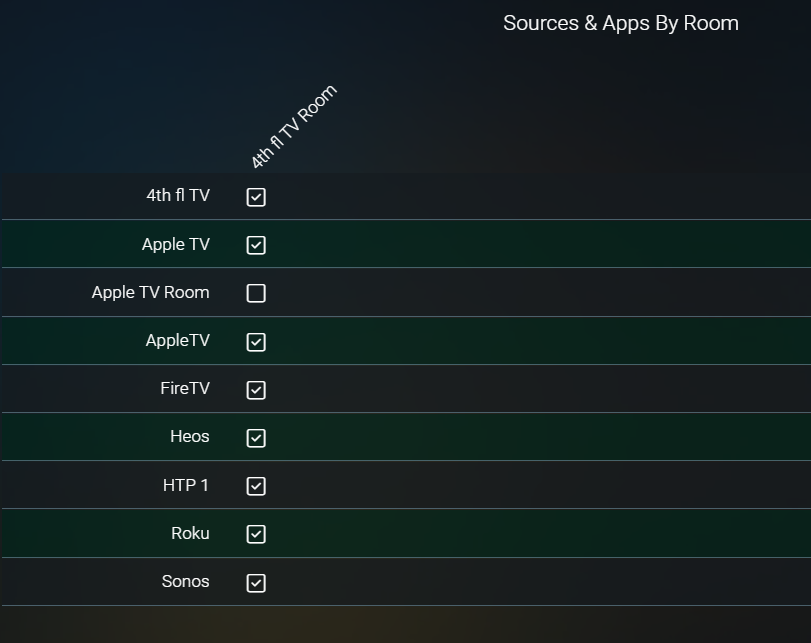
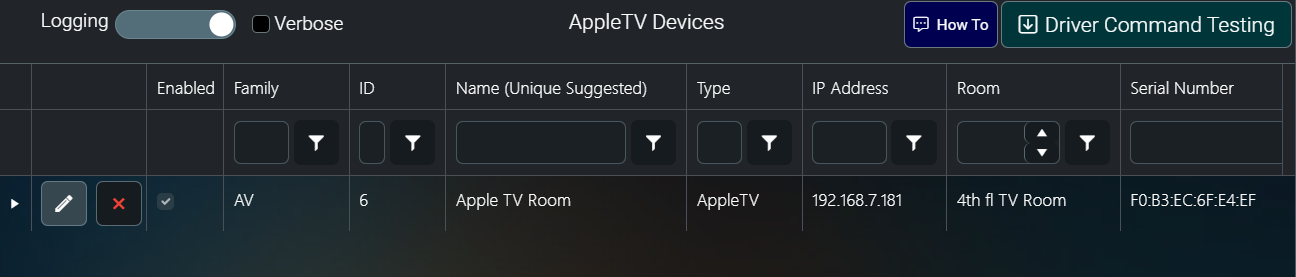
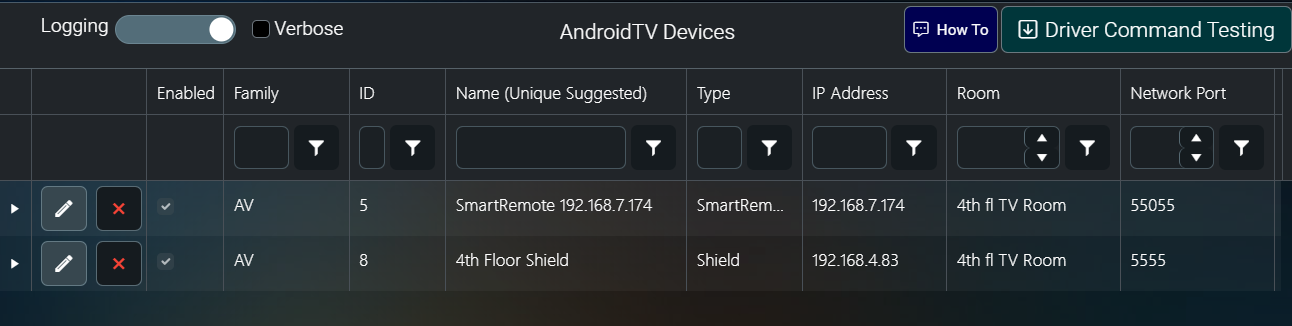
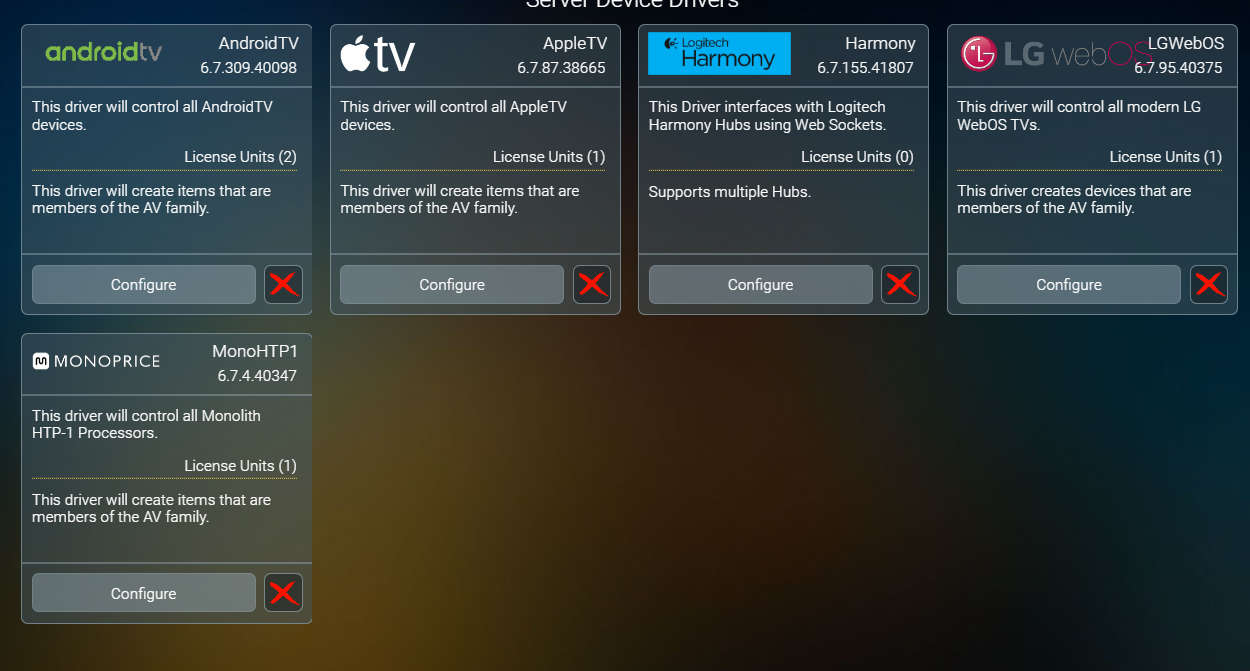
Going to Sources and Apps By Room shows my devices but also a bunch that I don't have in my drivers. Clicking the check boxes does nothing. See images.
I am trying to follow the videos. I have gotten to the Working With Scenes And Overlays video but don't have the project that is being used in the example to follow along. I don't know if I'm supposed to have that project but I'm following the videos in the playlists on YT and don't have it. I'm about 3 hours in and haven't gotten anything done.
Please Log in or Create an account to join the conversation.
Time to create page: 0.734 seconds

Copyright © 2026 Allonis. All Rights Reserved.