

Client Support
Working backlight ETA?


Re: Working backlight ETA?
2 months 2 weeks ago
Yes an AI search helped me figure that out. But when I hit the 3 buttons it takes me to the "about" scene. There's nothing in there about backlighting or anything. Just "Change Settings" and when I touch that all I get is Network Connection Options. MyServer software updater says my smartremote template is current.
Thx, Chris

Thx, Chris
Please Log in or Create an account to join the conversation.


Re: Working backlight ETA?
2 months 2 weeks ago
and is that the template that you are actually using? ie: the up to date one.
Or are you using a custom template, and also downloaded the most current one, but that's not the one your smartremote is pointed to?
Or are you using a custom template, and also downloaded the most current one, but that's not the one your smartremote is pointed to?
Please Log in or Create an account to join the conversation.
Re: Working backlight ETA?
2 months 2 weeks ago - 2 months 2 weeks ago
I have a couple remote projects:
1) smartremote
2) smartremote-sample
I have set the project name in the remote to each of them but same results. Examining the about.html files in Designer both projects I only see the 3 buttons like in the picture. What am I supposed to get - more buttons to configure stuff? Or more choices under "Change Settings?"
Thx, Chris
Edit: I actually have 3 remote projects. Below is a summary showing the about file in each one. None of them have anything additional to the 3 basic buttons. MyServer says my template is up to date.
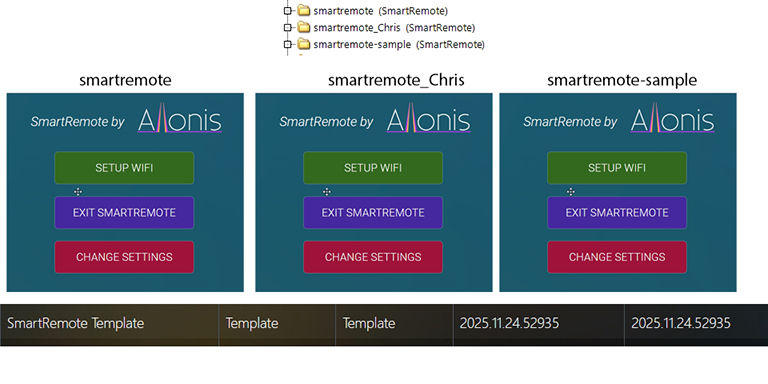
1) smartremote
2) smartremote-sample
I have set the project name in the remote to each of them but same results. Examining the about.html files in Designer both projects I only see the 3 buttons like in the picture. What am I supposed to get - more buttons to configure stuff? Or more choices under "Change Settings?"
Thx, Chris
Edit: I actually have 3 remote projects. Below is a summary showing the about file in each one. None of them have anything additional to the 3 basic buttons. MyServer says my template is up to date.
Last edit: 2 months 2 weeks ago by Chrisan.
Please Log in or Create an account to join the conversation.
Re: Working backlight ETA?
2 months 2 weeks ago
Ok, so you downloaded the latest smartremote-sample. but my guess is your smartremote is pointed to smartremote folder (not the latest). If you have customizations in the smartremote folder, you need to reconcile the differences between the two and put the correct updates to the smartremote folder. And use myDesigner (latest) to upgrade the javascript. All of this is in the documentation.
Please Log in or Create an account to join the conversation.
Re: Working backlight ETA?
2 months 2 weeks ago
I downloaded latest Designer and did a project update to smartremote-sample. I then directed the remote to smartremote-sample. Hit the 3 dots and nothing there about backlighting. I am on the latest smartremote template.
Here is a post from 5 months ago - "The latest SmartRemote template about.html file doesn't have the backlight options; somewhere along the line they got dropped and an old version of the file was included in the template." Was this ever corrected? The latest smartremote template in MyServer is well over a year old.
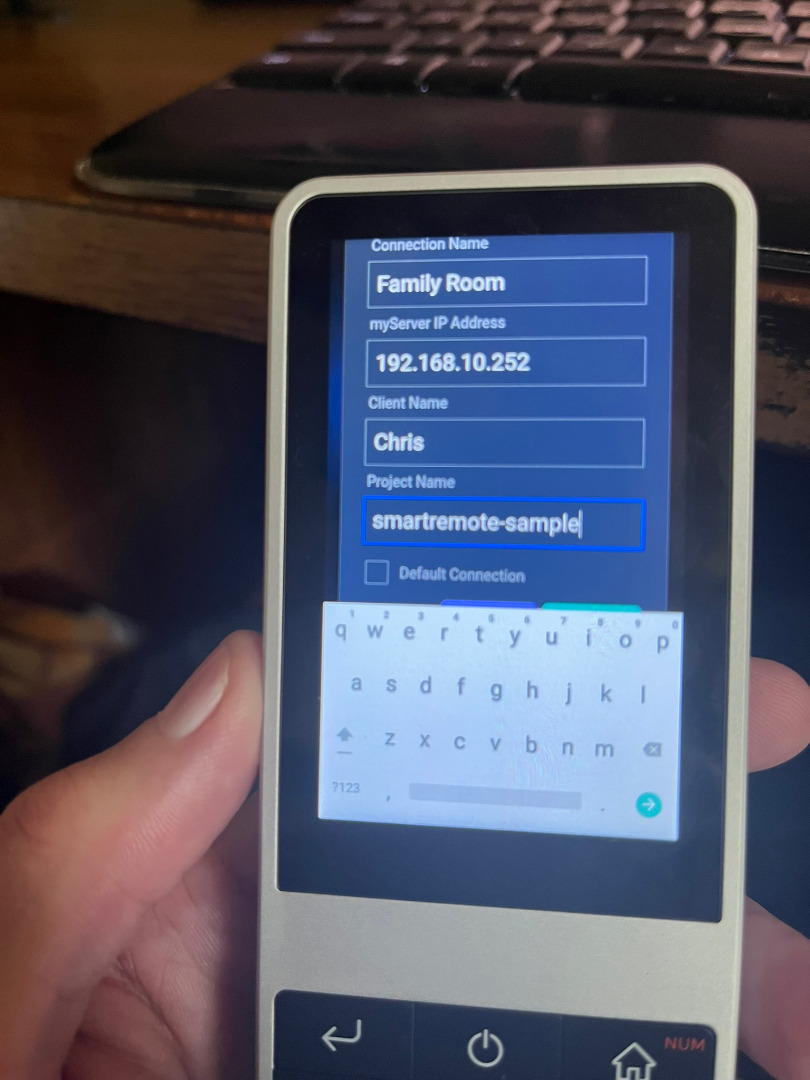
Here is a post from 5 months ago - "The latest SmartRemote template about.html file doesn't have the backlight options; somewhere along the line they got dropped and an old version of the file was included in the template." Was this ever corrected? The latest smartremote template in MyServer is well over a year old.
Please Log in or Create an account to join the conversation.

Re: Working backlight ETA?
2 months 2 weeks ago
I have to agree with Chris, there is something wrong here.
I upgraded my remote a long time ago, and was able to set the backlighting. I went back to see if I could find the settings, and I can't.
I tried a reboot of my smartremote. When I try to launch the smartremote app, it takes me to the setup screen. It shows WiFi is disabled. I must select WiFi to get anything to happen. When it goes to the WiFi setup page all my settings are there and it immediately connects to WiFi and brings up the remote home page. The remote still works, but now the charging indicator light never comes on.
The settings button under the three dots takes you to the setup screen. That's when everything started going bad for me. Is that how it supposed to work?
I upgraded my remote a long time ago, and was able to set the backlighting. I went back to see if I could find the settings, and I can't.
I tried a reboot of my smartremote. When I try to launch the smartremote app, it takes me to the setup screen. It shows WiFi is disabled. I must select WiFi to get anything to happen. When it goes to the WiFi setup page all my settings are there and it immediately connects to WiFi and brings up the remote home page. The remote still works, but now the charging indicator light never comes on.
The settings button under the three dots takes you to the setup screen. That's when everything started going bad for me. Is that how it supposed to work?
Please Log in or Create an account to join the conversation.
Time to create page: 0.295 seconds

Copyright © 2026 Allonis. All Rights Reserved.