

Client Support
Automation to turn the SmartRemote screen off when charging

Re: Automation to turn the SmartRemote screen off when charging
2 years 6 months ago
Haha, sorry, I fixed it. I'd copied the name originally, but it wanted to insert it as a link, so I tried to type it out, but clearly didn't do it right. And unfortunately this forum software doesn't let you see the thread when you're creating a post 
The following user(s) said Thank You: CrabbyPatties
Please Log in or Create an account to join the conversation.
Re: Automation to turn the SmartRemote screen off when charging
2 years 6 months agoIt turns out it does let you see the thread but it's very well disguised. Along to the right of the submit and cancel buttons when you're creating a reply is an 'X' in a box. Clicking on that reveals the thread. Why an 'X' when that usually means 'close'? Who knows.Haha, sorry, I fixed it. I'd copied the name originally, but it wanted to insert it as a link, so I tried to type it out, but clearly didn't do it right. And unfortunately this forum software doesn't let you see the thread when you're creating a post

Andrew
Please Log in or Create an account to join the conversation.
Re: Automation to turn the SmartRemote screen off when charging
2 years 6 months ago
I never would have thought to try that, thanks!
Please Log in or Create an account to join the conversation.
Re: Automation to turn the SmartRemote screen off when charging
2 years 6 months ago
Hmmmm,
I cannot get this to work. I can send a command via AndroidTV to the device (I just turned off the power). The device is named remote0 and it's ID is 14
The two commands are like this:
{{smartremote_charging_<remote0>}} = true
Macro|
AV|14~SendKey~SLEEP!
It seems the conditions are never met...so nothing in the log.
I cannot get this to work. I can send a command via AndroidTV to the device (I just turned off the power). The device is named remote0 and it's ID is 14
The two commands are like this:
{{smartremote_charging_<remote0>}} = true
Macro|
AV|14~SendKey~SLEEP!
It seems the conditions are never met...so nothing in the log.
Please Log in or Create an account to join the conversation.
Re: Automation to turn the SmartRemote screen off when charging
2 years 6 months agoShould you be having <> around "remote0"?Hmmmm,
I cannot get this to work. I can send a command via AndroidTV to the device (I just turned off the power). The device is named remote0 and it's ID is 14
The two commands are like this:
{{smartremote_charging_<remote0>}} = true
Macro|
AV|14~SendKey~SLEEP!
It seems the conditions are never met...so nothing in the log.
Please Log in or Create an account to join the conversation.

Re: Automation to turn the SmartRemote screen off when charging
2 years 6 months agoHmmmm,
I cannot get this to work. I can send a command via AndroidTV to the device (I just turned off the power). The device is named remote0 and it's ID is 14
The two commands are like this:
{{smartremote_charging_<remote0>}} = true
Macro|
AV|14~SendKey~SLEEP!
It seems the conditions are never met...so nothing in the log.
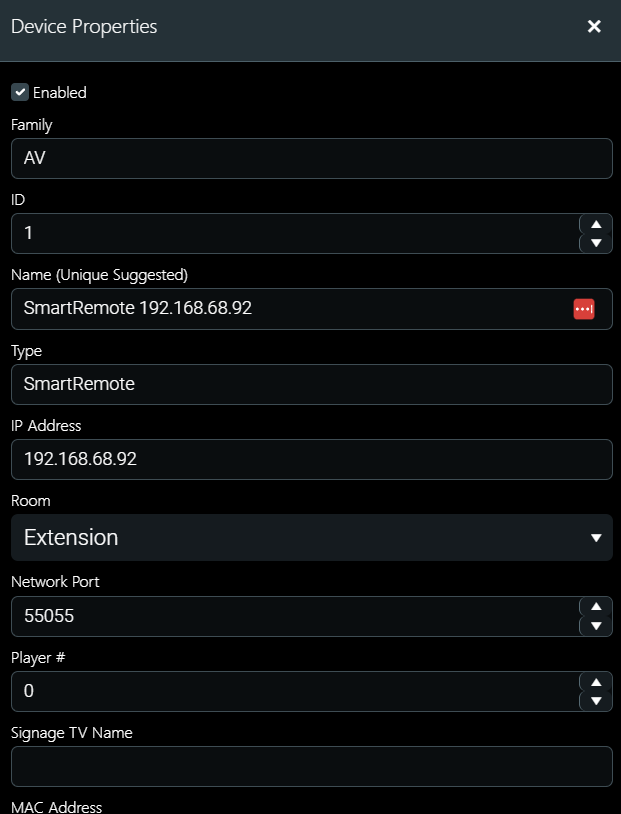
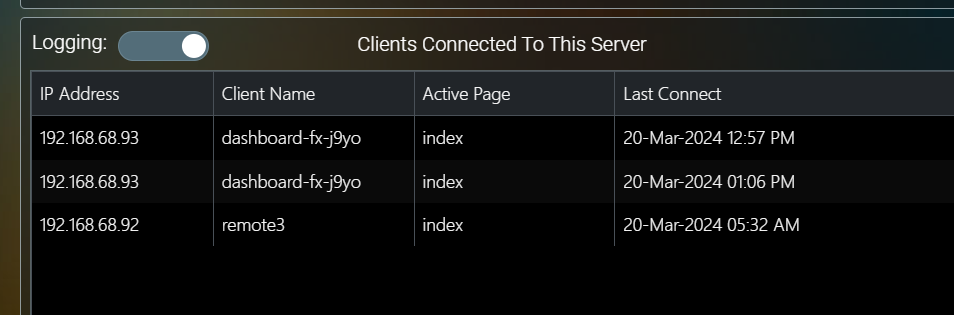
Attached are screenshots showing how it is setup for me and it works (obv different ids and name for the remote) -
I got rid of the final '!' if that makes a difference - doesn't the '!' separate two separate commands - but it is not required here as there is no command which follows it.
Have you tried testing it by just sending the command straight from the dashboard (weird wizards hat top right) - also see screenshot attached.


Please Log in or Create an account to join the conversation.
Time to create page: 0.295 seconds

Copyright © 2026 Allonis. All Rights Reserved.