

Client Support
Ecobee


Re: Ecobee
2 years 5 months agoHi Graydon,And, if I try to change the temperature from Moonlight, it is completely unresponsive.
We tested Ecobee here....it is working very nicely. Almost real time response - which is surprising because the Ecobee integration is an Ecobee CLOUD integration.
We assume any issue you are having is because you are not on the Moonlight unreleased template. Stuff has changed which likely is affecting your use.
The Moonlight Tablet and Smartphone interface are in their final laps of testing and should be released shortly.
Applying that hopefully will address the issues you are seeing with Ecobee.
Please Log in or Create an account to join the conversation.


Please Log in or Create an account to join the conversation.
Re: Ecobee
2 years 5 months agoSo when I pull it up in myDesigner and launch the remote, click on the ecobee icon, and try to change the temperature, here is the log that shows up-05/04/2024 23:01:46.01 · DEBUG · Server.doCommand - activate-source.thermostat-downstairs from smartremote-fx-6u2bI am not understanding what you mean by "linking up in myDesigner". Is the issue that you can't edit webpages in myDesigner? Or something more specific with a climate.html type webpage? Send us your myDesigner PC's Teamviewer Host ID and password if you want us to see if there is any networking issue with myDesigner connecting to myServer.Thats correct- Like I said I have it linked in my server, but there is no evidence of it linking up in myDesigner. If you hit F12 in myDesigner, there is nothing like remotely looks like it has any ties into myserver.If you look in the ecobee thermostat driver's Command Builder...you should see
Climate|1~SelectDevice
Select the thermostat you want to interact with.
Then Allonis's default user interfaces should display temps for that thermostat. And any actions (like set temp) should be specific to that thermostat.
If that doesn't work, post what's in the event log when you both do the SelectDevice command, and then the thermostat action.
05/04/2024 23:01:46.01 · DEBUG · Server.doCommand - SetActiveSource|Downstairs from smartremote-fx-6u2b
05/04/2024 23:01:46.01 · DEBUG · Server.doCommand - SetVariable|{{activeroom_{{clientname}}}}_source~{{activesource_sourcename_{{clientname}}}} from smartremote-fx-6u2b
05/04/2024 23:01:46.01 · DEBUG · Server.doCommand - SetVariable|_source~Downstairs
05/04/2024 23:01:46.01 · DEBUG · Server.doCommand - Climate|{{{{activeroom_{{clientname}}}}_thermostat_id}}~SelectDevice from smartremote-fx-6u2b
05/04/2024 23:01:46.01 · DEBUG · Server.doCommand - Climate|~SelectDevice
05/04/2024 23:01:46.01 · DEBUG · Server.doCommand - LoadScene|climate from smartremote-fx-6u2b
05/04/2024 23:01:46.01 · DEBUG · Server.WebCmd - Loadscene|climate
05/04/2024 23:01:46.01 · DEBUG · Server.doCommand - setvariable|backenabled_smartremote-fx-6u2b~1 from smartremote-fx-6u2b
05/04/2024 23:01:46.01 · DEBUG · Server.doCommand - SetVariable|pagetitle_{{clientname}}~Climate from smartremote-fx-6u2b
05/04/2024 23:01:46.01 · DEBUG · Server.doCommand - SetVariable|pagetitle_smartremote-fx-6u2b~Climate
05/04/2024 23:01:46.01 · DEBUG · Server.doCommand - SetVariable|overlay-header-visible-{{clientname}}~true from smartremote-fx-6u2b
05/04/2024 23:01:46.01 · DEBUG · Server.doCommand - SetVariable|overlay-header-visible-smartremote-fx-6u2b~true
05/04/2024 23:03:01.03 · DEBUG · Server.doCommand - Climate|{{active_thermostat_{{clientname}}}}~settemp~down from smartremote-fx-6u2b
05/04/2024 23:03:01.03 · DEBUG · Server.doCommand - Climate|~settemp~down
As you can see in the picture, nothing registers on the icon from the climate.html webpage.
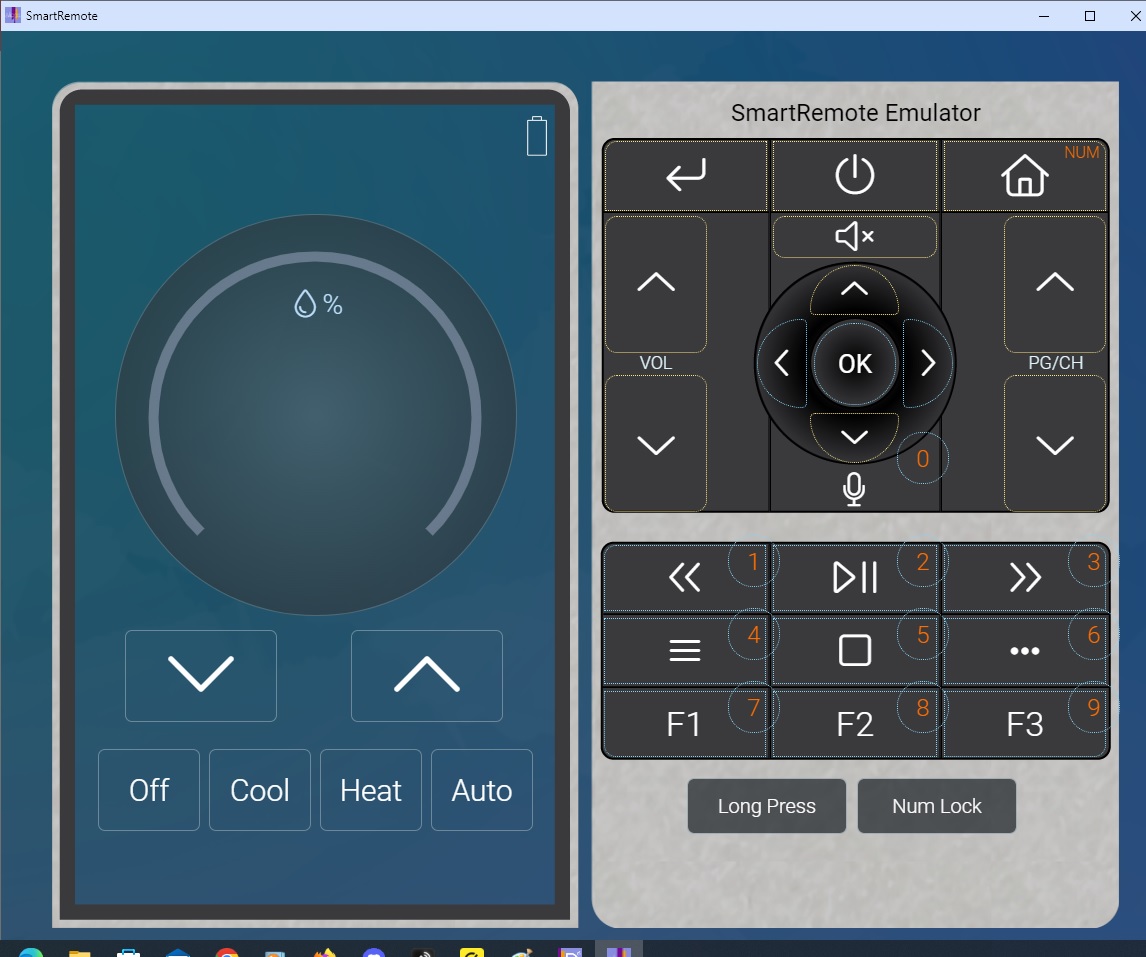
From My server, I have the correct thermostat selected as shown.
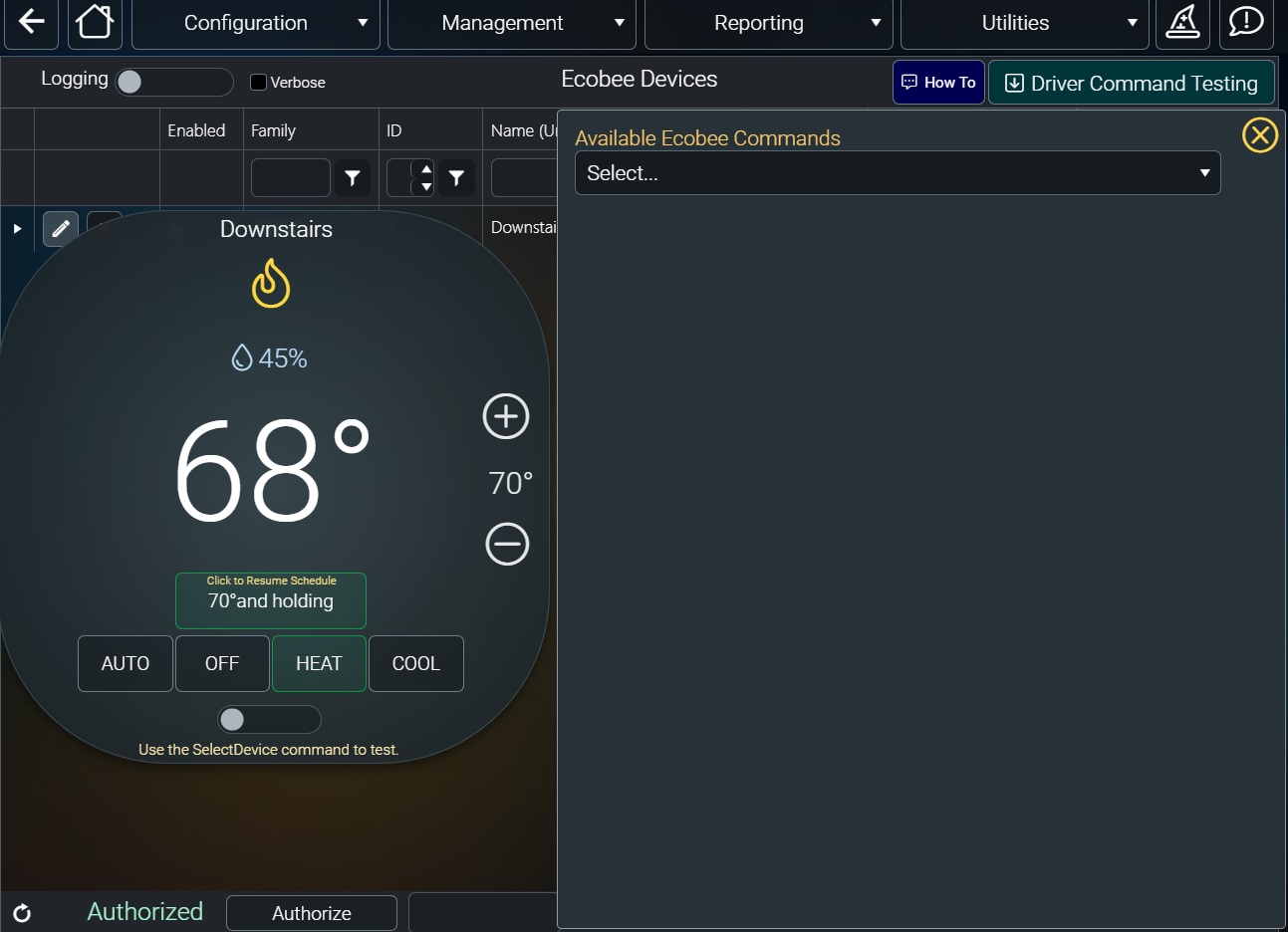
This is the log that when I select a command from my server:
05/04/2024 23:30:23.30 · DEBUG · Server.doCommand - Climate|{{active_thermostat_{{clientname}}}}~SetTemp~up from dashboard-fx-s4pn
05/04/2024 23:30:23.30 · DEBUG · Server.doCommand - Climate|1~SetTemp~up
Ill send an email with my teamviewer ID so you can take a look in the system.
Please Log in or Create an account to join the conversation.
Re: Ecobee
2 years 5 months ago
I'm afraid I can't tell you how to fix it but I think I can see what the problem is. The myServer dashboard view of the thermostat and the emulated remote in myDesigner are two completely different clients as far as the system is concerned and for control to work in either of them then the thermostat has to be selected in that particular client context. As you've shown this is working in the myServer dashboard. But when you try to use the thermostat in the emulated remote the active device isn't getting set. When the "Climate|{{{{activeroom_{{clientname}}}}_thermostat_id}}~SelectDevice from smartremote-fx-6u2b" command runs it actually says it runs "Climate|~SelectDevice" whereas what it should be running is "Climate|1~SelectDevice". So I'm guessing that in your activate source macro or somewhere else, some part of the activeroom_{{clientname}}}}_thermostat_id variable isn't getting set correctly. You can then see the effect of this later in the log when you try to turn the temperature down and it runs "Climate|~settemp~down" instead of "Climate|1~settemp~down". Are you selecting the room in the emulated remote, and the thermostat is allocated to that room?
I hope this might help and it's not just regurgitating what you already know.
Andrew
I hope this might help and it's not just regurgitating what you already know.
Andrew
Please Log in or Create an account to join the conversation.
Re: Ecobee
2 years 5 months agoI think Andrew is right...I think the Smartremote-sample doesn't include the button to select which thermostat (even if there is one). Should work once that variable is set.I'm afraid I can't tell you how to fix it but I think I can see what the problem is. The myServer dashboard view of the thermostat and the emulated remote in myDesigner are two completely different clients as far as the system is concerned and for control to work in either of them then the thermostat has to be selected in that particular client context. As you've shown this is working in the myServer dashboard. But when you try to use the thermostat in the emulated remote the active device isn't getting set. When the "Climate|{{{{activeroom_{{clientname}}}}_thermostat_id}}~SelectDevice from smartremote-fx-6u2b" command runs it actually says it runs "Climate|~SelectDevice" whereas what it should be running is "Climate|1~SelectDevice". So I'm guessing that in your activate source macro or somewhere else, some part of the activeroom_{{clientname}}}}_thermostat_id variable isn't getting set correctly. You can then see the effect of this later in the log when you try to turn the temperature down and it runs "Climate|~settemp~down" instead of "Climate|1~settemp~down". Are you selecting the room in the emulated remote, and the thermostat is allocated to that room?
I hope this might help and it's not just regurgitating what you already know.
Andrew
We will add this to the next release.
Please Log in or Create an account to join the conversation.
Re: Ecobee
2 years 5 months ago
Tomorrow's SmartRemote update, among other things, will have an updated climate page that includes a dropdown that will allow you to switch between any and all thermostats. There is also a fix in the server that fixes an issue with the activation macro for thermostats. I suspect one of the problems you are having is that the activation macro was not doing a SelectDevice on the correct device.
The following user(s) said Thank You: graydon@gdsamps.com
Please Log in or Create an account to join the conversation.
Time to create page: 0.308 seconds

Copyright © 2026 Allonis. All Rights Reserved.