

Client Support
Volume Variable not updating


Re: Volume Variable not updating
2 years 6 months ago
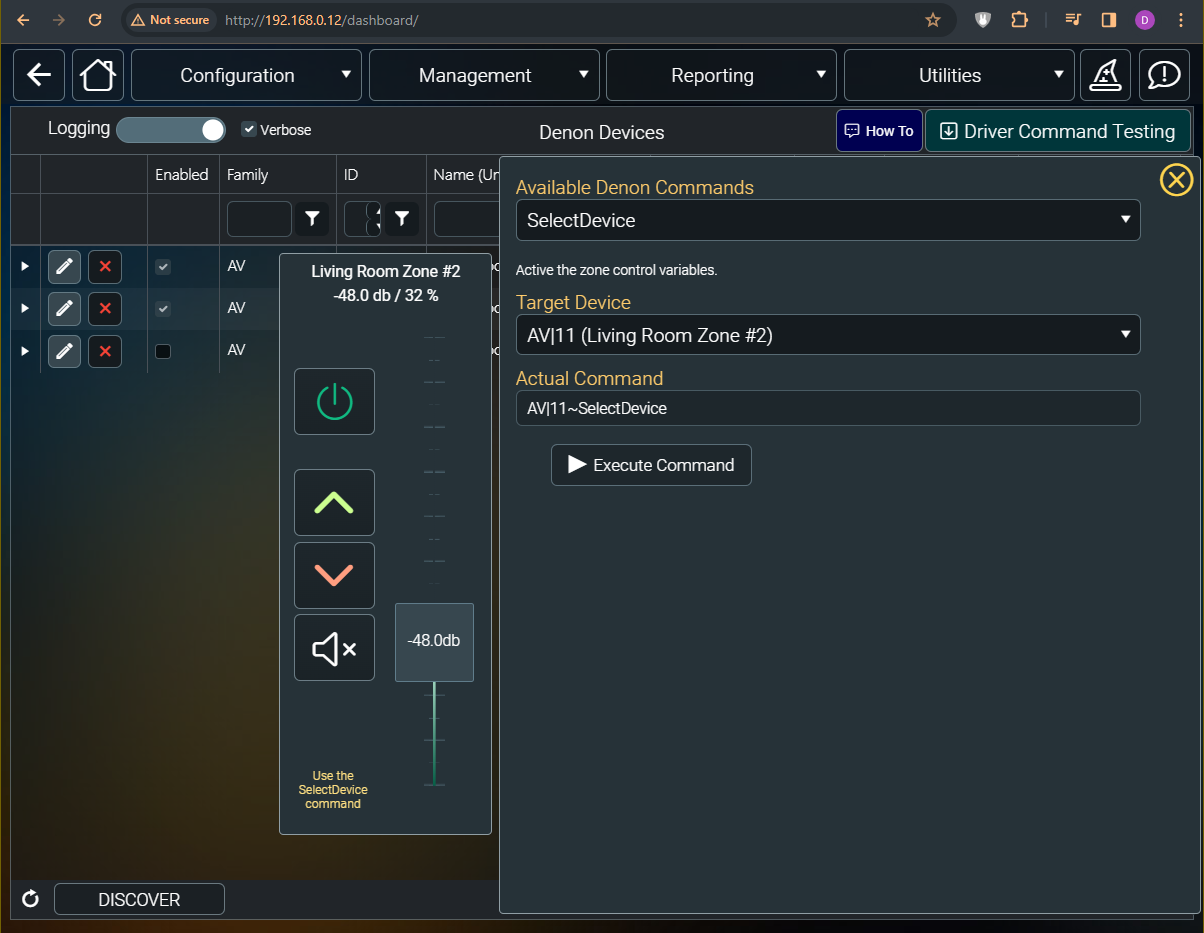
I just updated the Denon driver and tested it against Zones 2 and 3. Working now.
Please Log in or Create an account to join the conversation.

Re: Volume Variable not updating
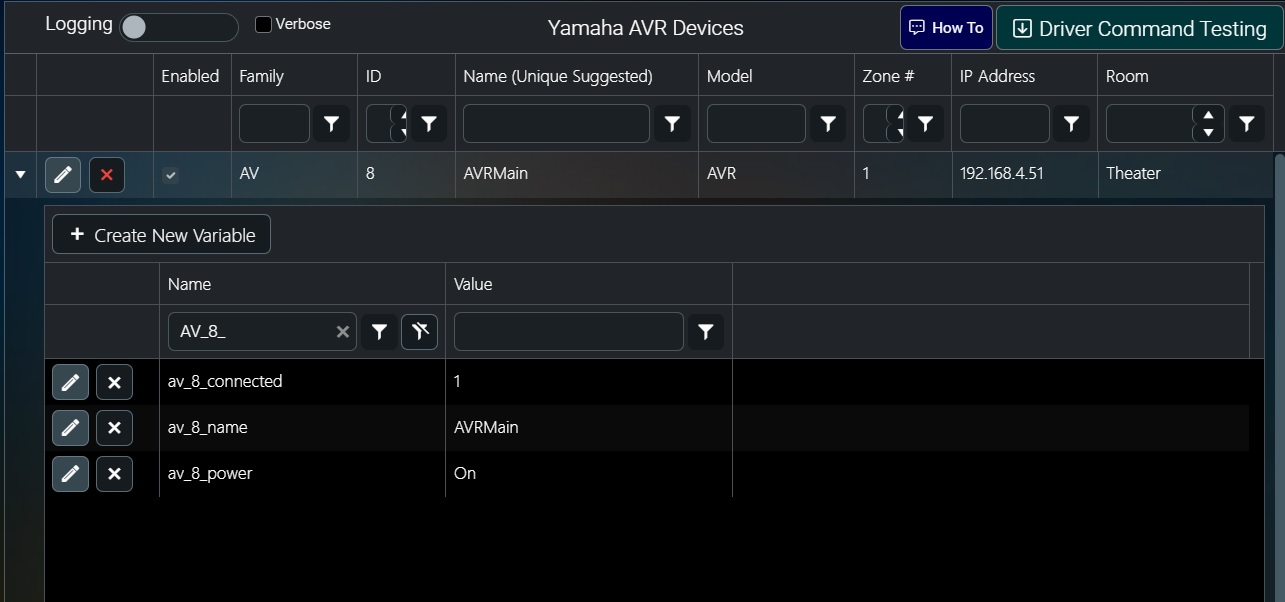
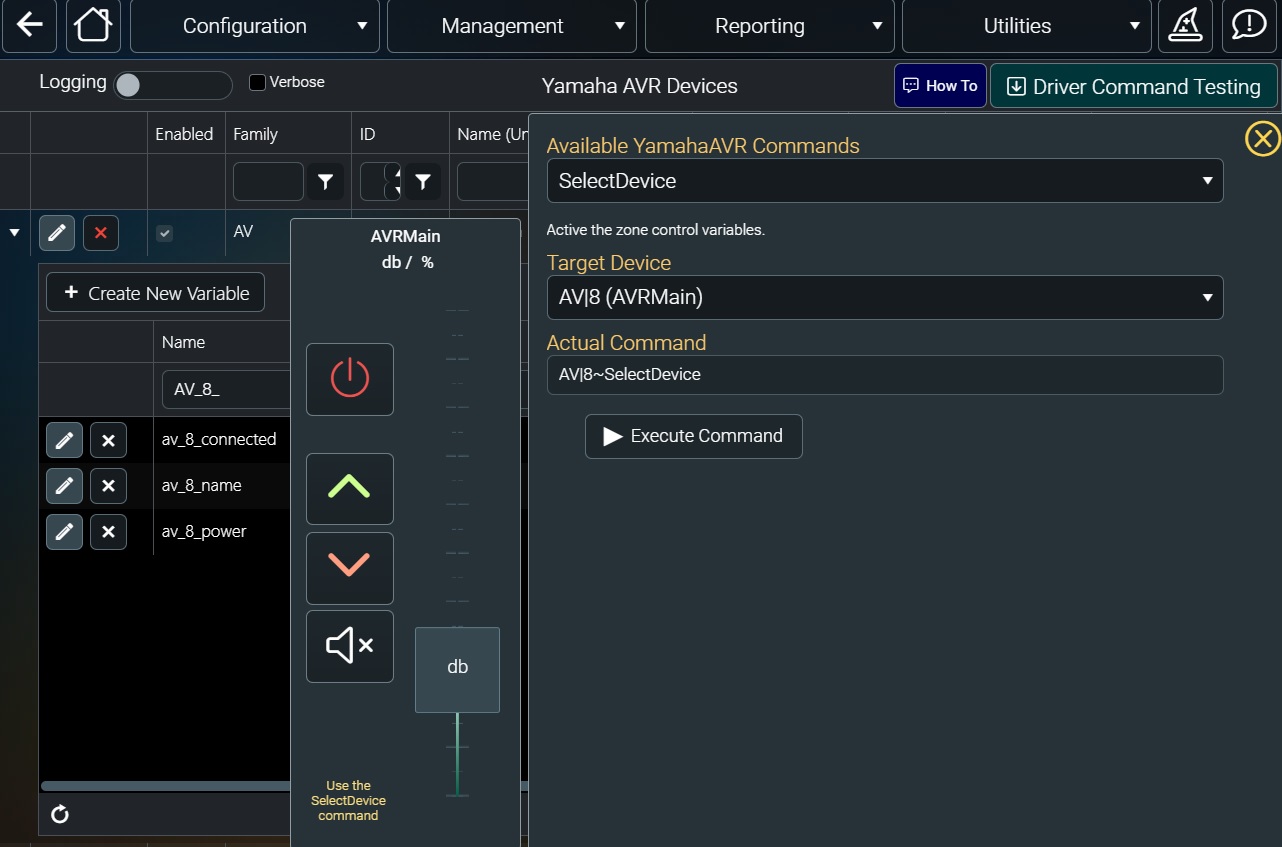
2 years 6 months agoWhen I go into my Yamaha driver it doesnt have anything listed but 3 commands- connected, name, and power. At one point I thought it had the variable for the volume in dB, but not listed anymore. Deleted and tried to reinstall but that didnt solve the problem either. When it was listed, it had a static value and when I would use that in a label on mydesigner, it would just show the static value of "47" at all times because that was what was in the value field.Denon, YamahaAVR drivers have been updated. A PioneerAVR driver has been released. PioneerAVR is an experiment. Let me know if it works. The goal of these drivers is to provide the basic functionality for day to day use. They can be added to if necessary. The volume UP and DOWN commands implement the protocol commands for up and down which increment in 0.5 db steps.
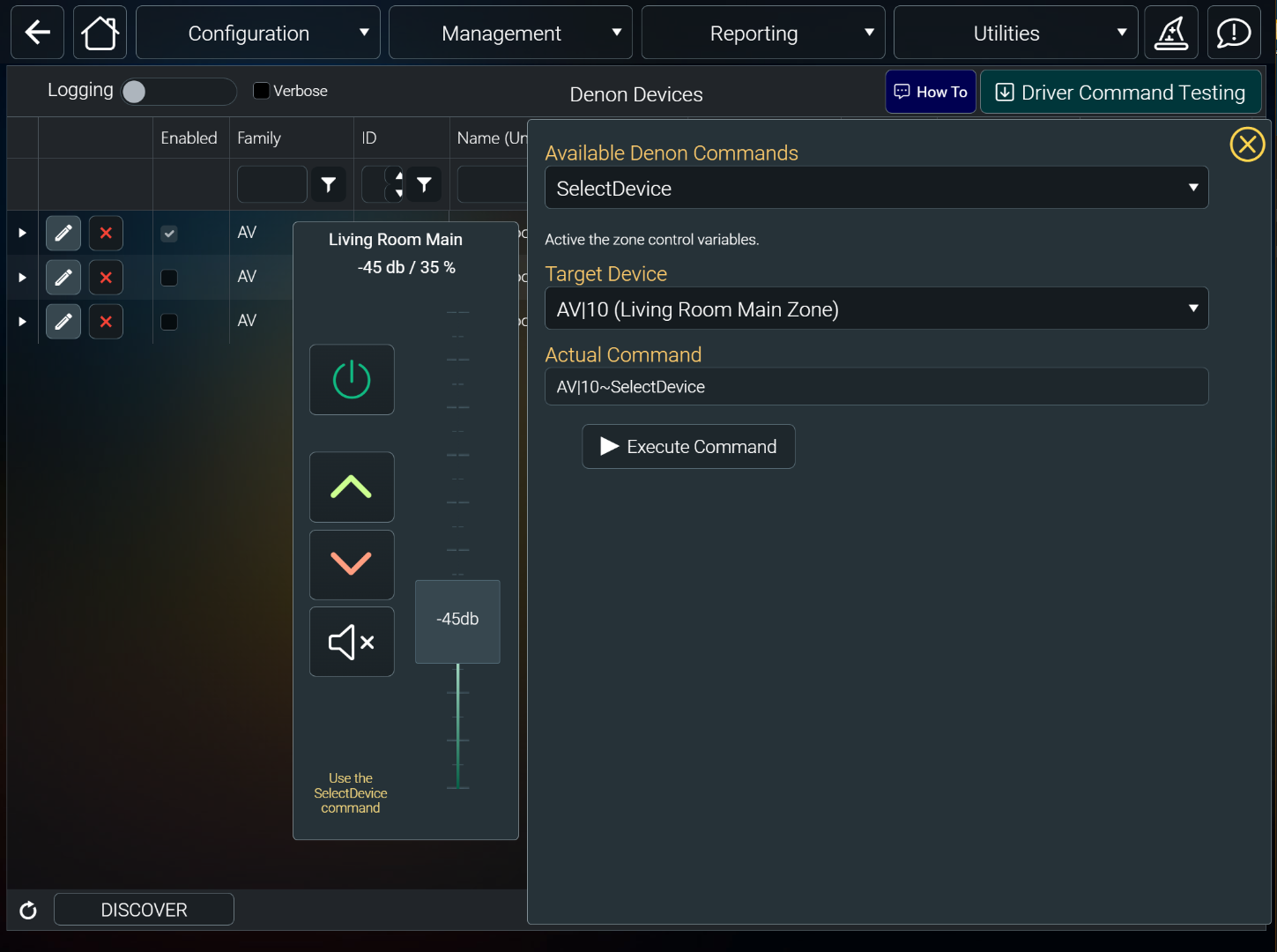
All three drivers introduce a volume_db variable that tracks the db values while the volume variable continues to track percentage.
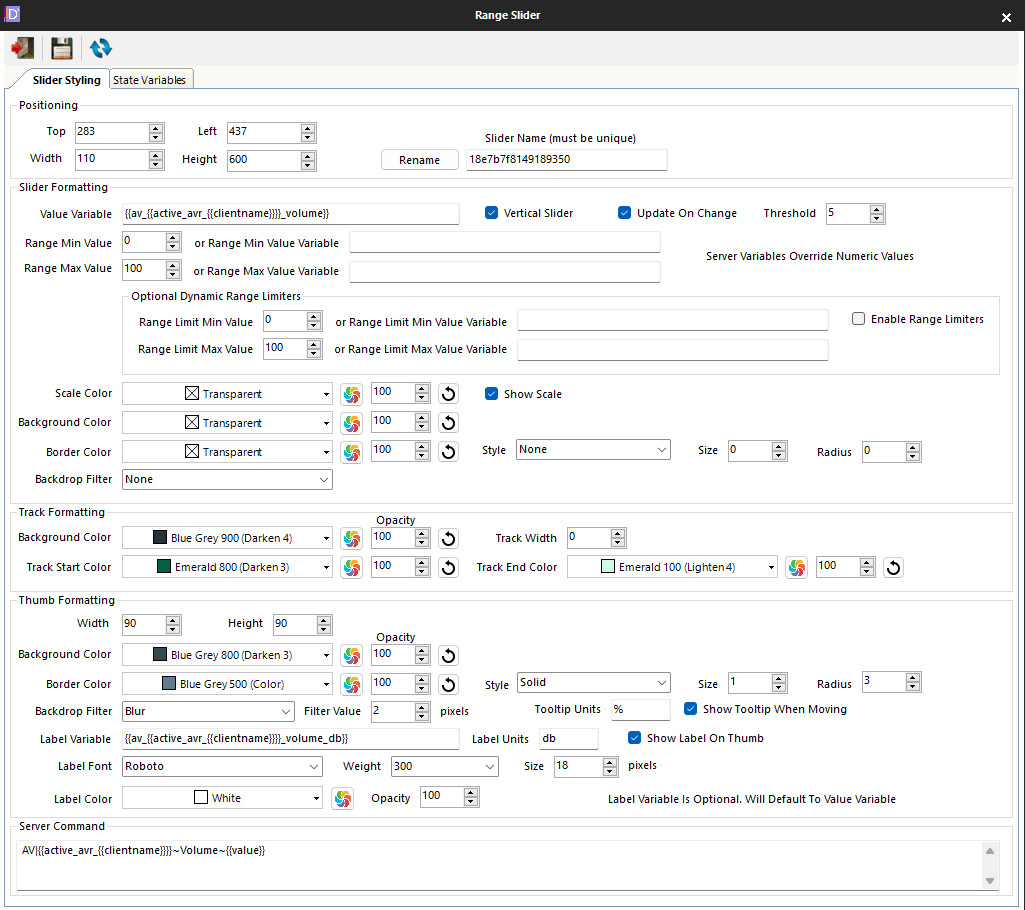
The volume slider web component has been modified to allow for using the db label variable on the slider thumb instead of showing percentage. Look at the individual driver pages in command builder pages to see how to implement.
Here is the Denon driver showing the db variable being used.
Here is the web object being edited in the Designer showing the new Thumb label variable.
Also, the Yamaha still shows values of 0-100 dB/%. Im emailing my teamviewer ID to you and David since my ecobee thermostat and Yamaha AVR are clearly not working like you all say they should be.
Thanks in advance.
Please Log in or Create an account to join the conversation.
Re: Volume Variable not updating
2 years 6 months agoThat's the same behaviour I've had with the Yamaha AVR driver - it only populates those three variables (connected, power and name) and only connected updates.When I go into my Yamaha driver it doesnt have anything listed but 3 commands- connected, name, and power. At one point I thought it had the variable for the volume in dB, but not listed anymore. Deleted and tried to reinstall but that didnt solve the problem either. When it was listed, it had a static value and when I would use that in a label on mydesigner, it would just show the static value of "47" at all times because that was what was in the value field.
Also, the Yamaha still shows values of 0-100 dB/%. Im emailing my teamviewer ID to you and David since my ecobee thermostat and Yamaha AVR are clearly not working like you all say they should be.
Thanks in advance.
Andrew
Please Log in or Create an account to join the conversation.
Re: Volume Variable not updating
2 years 6 months ago
I just remoted into your controller and looked at Yamaha. The driver was not processing the feedback from the AVR because of some non-printing characters that needed to be ignored. The driver has been updated and appears to be working as I've got control of it in the dashboard sample. One question. When I power off the AVR I'm seeing it drop it's network connection. Is there a setting in Yamaha that can make it keep its network alive when in standby mode? The driver wans to try to maintain a connection to it all the time. If it really drops the network I'll have to make the driver not try to auto-connect.
Please Log in or Create an account to join the conversation.
Re: Volume Variable not updating
2 years 6 months agoMy Yamaha RX-V677 AVR certainly has a network standby setting which I've got turned on and it works - I can use the AVR's own built-in web interface to turn it on from standby and the myServer driver can also connect to it while it's in standby mode.I just remoted into your controller and looked at Yamaha. The driver was not processing the feedback from the AVR because of some non-printing characters that needed to be ignored. The driver has been updated and appears to be working as I've got control of it in the dashboard sample. One question. When I power off the AVR I'm seeing it drop it's network connection. Is there a setting in Yamaha that can make it keep its network alive when in standby mode? The driver wans to try to maintain a connection to it all the time. If it really drops the network I'll have to make the driver not try to auto-connect.
Andrew
Please Log in or Create an account to join the conversation.
Time to create page: 0.288 seconds

Copyright © 2026 Allonis. All Rights Reserved.