Assigning a static IP address on the Pi

Sonnie's Avatar Topic Author
User User
  • Posts: 27
  • Thanks: 0

Assigning a static IP address on the Pi

2 years 4 months ago
#2368
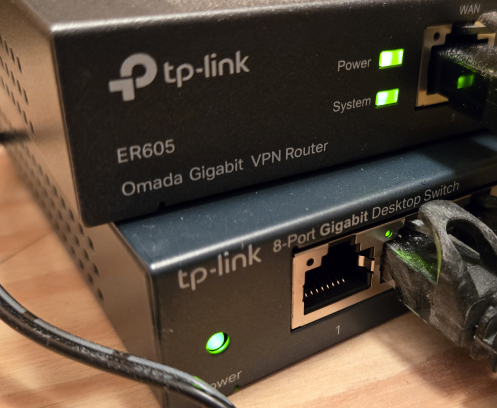
I was reading the setup instructions, which recommend setting a static IP address to the shelf Pi unit. The ethernet cable from our fiber box is fed to an unmanaged TP-Link switch, which is connected to an Omada Gigabit VPN router that was required for the UniFi AP AC Pro units scattered throughout the house. I have an empty slot on the switch, but with it being unmanaged, I don't know of a way to set a static IP address. Would a managed switch give me what I need?

Pic of my router and switch.

 Regards,
Sonnie

 

Please Log in or Create an account to join the conversation.

David Li's Avatar
Admin Admin
  • Posts: 1027
  • Thanks: 99

Re: Assigning a static IP address on the Pi

2 years 4 months ago - 2 years 4 months ago
#2371
You can set either a Static address on the Pi (you will likely need a monitor / keyboard / mouse connected to the Pi) by clicking the networking "double arrow" icon on the bottom of the Pi desktop.

Or you can set a reserved DHCP address within your router (associated to the Pi's network card MAC address).  Wherever your DHCP server is on the network is where this would need to be set.  Every network is unique so you will have to figure this out for yours.


Either way, the IP address can't change or your user interfaces (like the SmartRemote) won't be able to find the myServer web server.
Last edit: 2 years 4 months ago by David Li.

Please Log in or Create an account to join the conversation.

Sonnie's Avatar Topic Author
User User
  • Posts: 27
  • Thanks: 0

Re: Assigning a static IP address on the Pi

2 years 4 months ago
#2374
I limited the DHCP range in my router so that I can assign static IP addresses... should be all good now. 

Regards,
Sonnie

Please Log in or Create an account to join the conversation.

Time to create page: 0.264 seconds