

Client Support
Nice weather scene!


Nice weather scene!
2 years 7 months ago
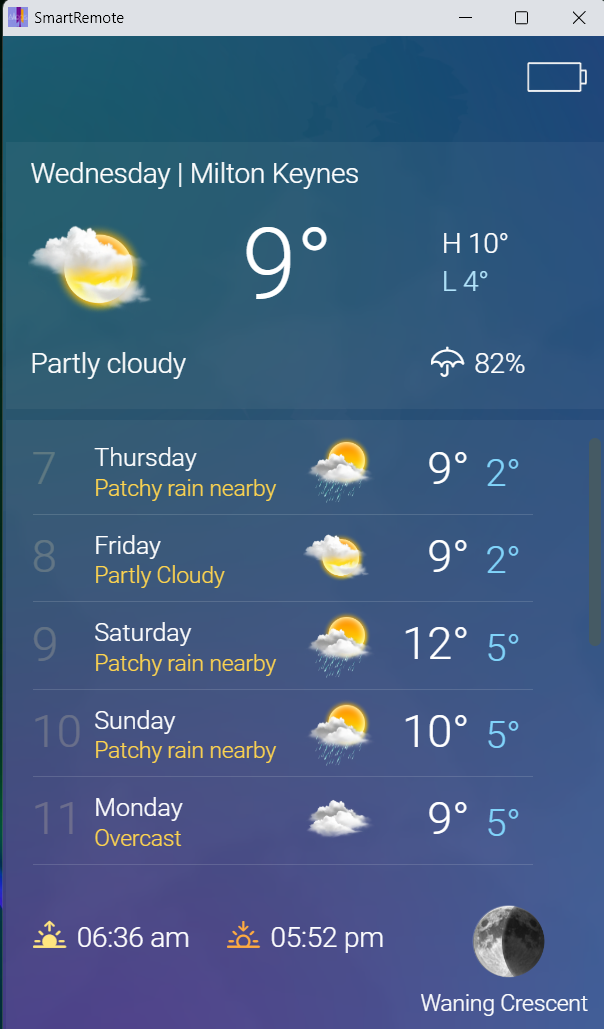
As I feel I'm just beginning to get a grasp of how rooms, devices, sources, IR models etc all fit together I naturally started playing with something else I didn't understand. I'd tried to get the weather app working previously but it hadn't seemed to want to download any data. This time I tried it and success! I've got a massive list of myServer variables related to local weather. Then I had a look at the weather scene/overlay in the smartremote template. It looks like that might be in the process of being updated as the label contents variables have slightly wrong names. Changing all the daily forecast label images to {{weather_forecast_XX_icon}} and the daily forecast labels to {{weather_forecast_XX_phrase}} got me a neat looking scene. Screenshot in next message as per usual (you can't attach files in the first message of a topic which is odd).
I can see how you could overwrite the supplied weather condition icons with a new set by replacing "/images/weather/day/113.png" etc. with your own graphic. But would it be possible to have two or more different sets of icons in use simultaneously? For instance the current set for use on a nice LCD colour display e.g. the smartremote or a tablet. And another black and white low-res set for use on an eInk display? I'm thinking I'd need the '113' bit of the weather icon string on its own so I could construct a new label image path like '/images/weather/eink/day/113.png'. Or maybe there are some string manipulation functions somewhere that would let me insert the 'eink' bit into the current variable value.
Andrew
I can see how you could overwrite the supplied weather condition icons with a new set by replacing "/images/weather/day/113.png" etc. with your own graphic. But would it be possible to have two or more different sets of icons in use simultaneously? For instance the current set for use on a nice LCD colour display e.g. the smartremote or a tablet. And another black and white low-res set for use on an eInk display? I'm thinking I'd need the '113' bit of the weather icon string on its own so I could construct a new label image path like '/images/weather/eink/day/113.png'. Or maybe there are some string manipulation functions somewhere that would let me insert the 'eink' bit into the current variable value.
Andrew
Please Log in or Create an account to join the conversation.
Re: Nice weather scene!
2 years 7 months ago
Current smartremote sample template scene.
Andrew
Andrew
Please Log in or Create an account to join the conversation.

Re: Nice weather scene!
2 years 7 months ago
The system will not support multiple icon sets today but I can think of an easy way to implement it. I just have to provide a weather variable that points to the base icon folder. Then you could switch icons on the fly. It will appear in a weather update.
The following user(s) said Thank You: andrew
Please Log in or Create an account to join the conversation.
Re: Nice weather scene!
2 years 7 months ago
Would that let one client use one set of icons while at the same time another client uses a different set? Or would it switch the icon set for all clients (which is not what I want)?
Andrew
Andrew
Please Log in or Create an account to join the conversation.
Re: Nice weather scene!
2 years 7 months ago
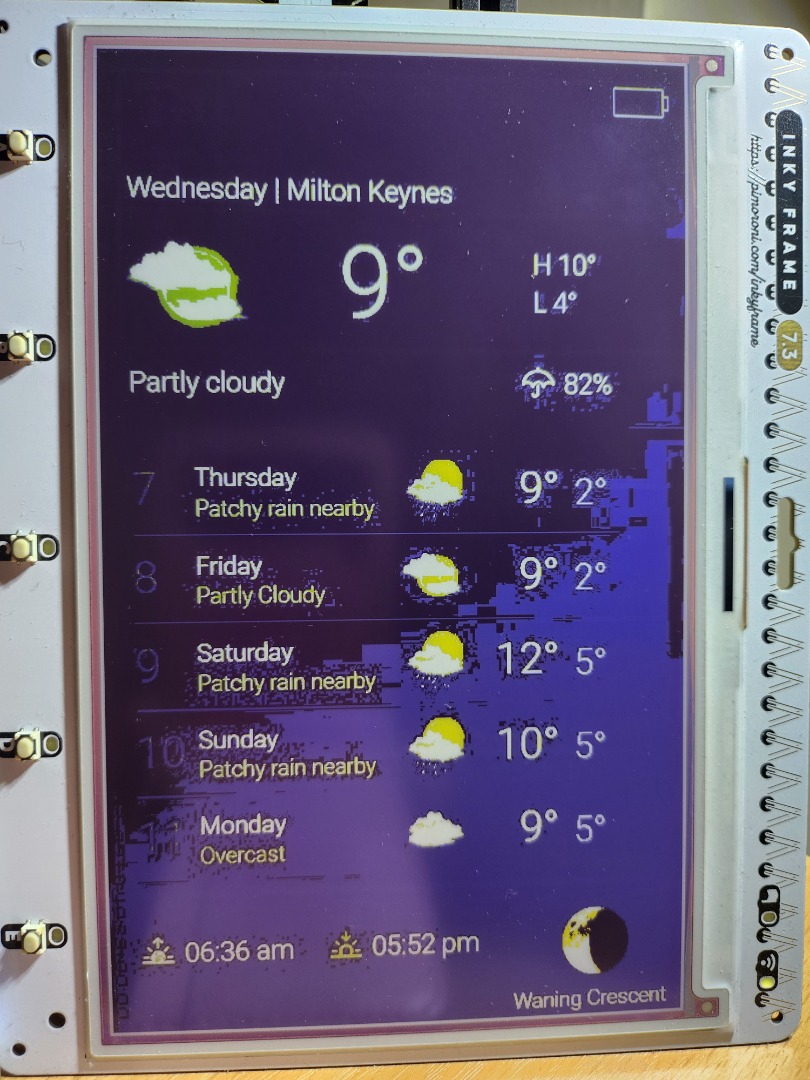
Turns out that apart from the gradient background the standard weather scene works reasonably well on my Inky Frame.
Andrew
Andrew
Please Log in or Create an account to join the conversation.
Re: Nice weather scene!
1 year 8 months ago
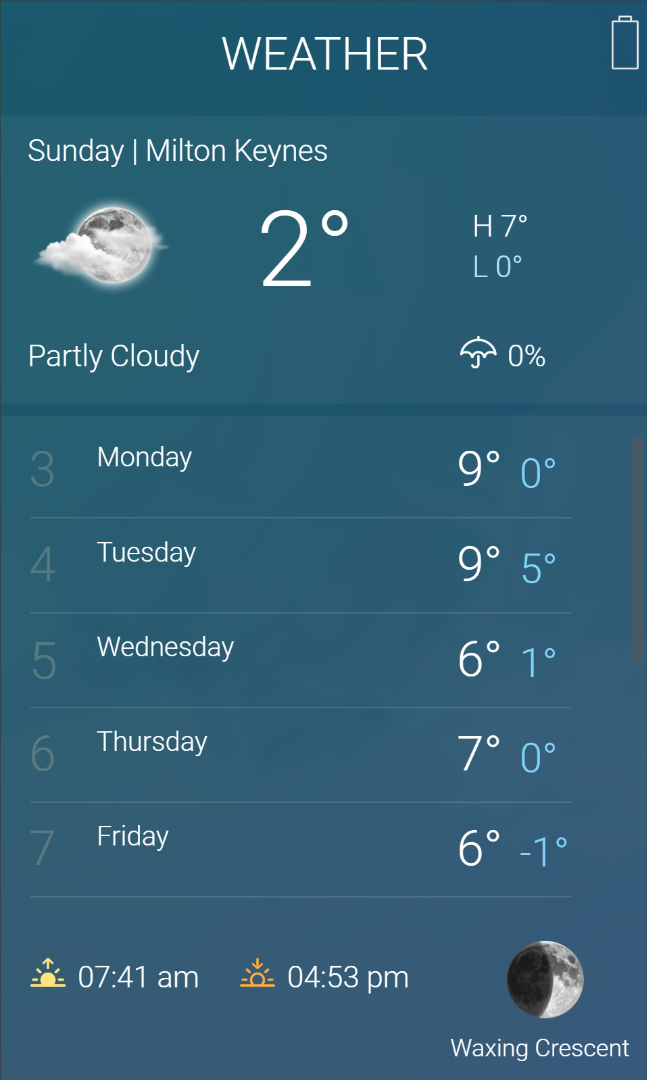
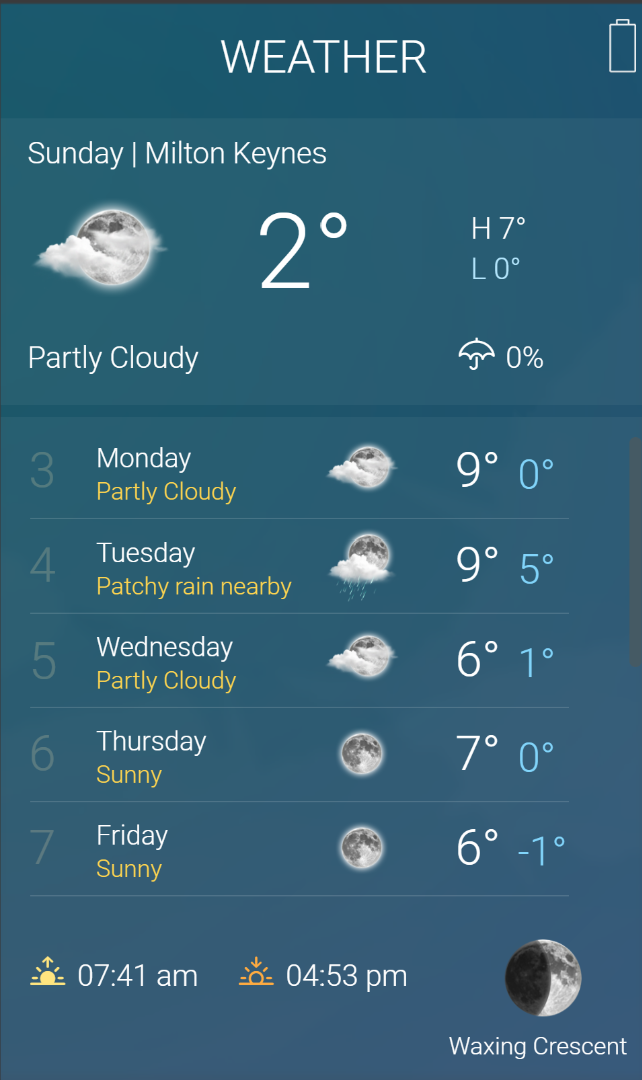
I've actually started using the weather app on my smartremote and it looks nice. Except that the overlay template is still using the wrong server variable names. So you have to change all the daily forecast image variables to {{weather_forecast_XX_icon}} and the daily forecast label variables to {{weather_forecast_XX_phrase}}
Before changing:
After:
Before changing:
After:
Please Log in or Create an account to join the conversation.
Time to create page: 0.248 seconds

Copyright © 2026 Allonis. All Rights Reserved.