

Client Support
Need some clarity/guidance


Need some clarity/guidance
2 years 7 months ago
1>>I can no longer access the index.html from my smartremote even on an unmolested sample template, Is this the new "default" or did I bork something?
2>>Are the settings for scenes and overlays retained across template updates ? I've added a few overlays and edited a couple scenes? If I paste the old file into the new template, does that overwrite the new file and I lose the "updated goodness" ?
3>>How do you setup an avr so that the active page references the ir commands ?
4>> I built an overlay so that there was easily seen buttons for "back" "home" "lights on" "lights off", However only the light buttons work (I used the same "clientcmd|back" "clientcmd|home" commands that are mapped to the hard buttons) It appears as though the overlay is spamming the logs and myServer is extremely slow to respond when this overlay is active.
2>>Are the settings for scenes and overlays retained across template updates ? I've added a few overlays and edited a couple scenes? If I paste the old file into the new template, does that overwrite the new file and I lose the "updated goodness" ?
3>>How do you setup an avr so that the active page references the ir commands ?
4>> I built an overlay so that there was easily seen buttons for "back" "home" "lights on" "lights off", However only the light buttons work (I used the same "clientcmd|back" "clientcmd|home" commands that are mapped to the hard buttons) It appears as though the overlay is spamming the logs and myServer is extremely slow to respond when this overlay is active.
Please Log in or Create an account to join the conversation.

Re: Need some clarity/guidance
2 years 7 months ago
"1>>I can no longer access the index.html from my smartremote even on an unmolested sample template, Is this the new "default" or did I bork something? "
Yes, There is one Endless list object on the index page. It runs an api call to get the list of active sources for the room. If there is no active room, or the active room has no defined sources the screen will be blank.
"2>>Are the settings for scenes and overlays retained across template updates...."
The templates all get installed in their own -sample folders. They will never overwrite any existing files. If you do copy files from a sample into your own folders then yes your changes will get overwritten.
"3>>How do you setup an avr so that the active page references the ir commands ?"
Today you would have to change the default AVR.html page. Every button and hard button would have to have its commands modified to switch from an AVR Family command to a Control Family IR command. e.g.
AV|{{active_avr_{{clientname}}}}~Mute~Toggle would need to change to Control|{{active_avr_{{clientname}}}}~SendIR~<<AVR MODEL NAME>>~Mute Toggle
Where <<AVR MODEL NAME>> is the name you gave the IR model when you did the cloud lookup for the IR codes.
You would also have to change the source activation macro for that AVR so that it defined what {{active_avr_{{clientname}}}} should be equal to. If the IR emitter that is controlling the AVR is device ID 12 in the GenericIR driver then you need to inject this command in the activate-source macro for that device.
SetVariable|active_avr_{{clientname}}~12!
"4>> I built an overlay so that there was easily seen buttons for "back" "home" "lights on" "lights off"...."
It sounds like you might have told an overlay to include itself. If that happens you'd get into an infinite loop of an overlay repeatably being added to the page.
Every page in the SmartRemote project includes the overlay_header file by default. This is required for ALL SmartRemote pages you might create. After that individual pages are free to add their own overlays that are specific for the device or app being controlled.
Yes, There is one Endless list object on the index page. It runs an api call to get the list of active sources for the room. If there is no active room, or the active room has no defined sources the screen will be blank.
"2>>Are the settings for scenes and overlays retained across template updates...."
The templates all get installed in their own -sample folders. They will never overwrite any existing files. If you do copy files from a sample into your own folders then yes your changes will get overwritten.
"3>>How do you setup an avr so that the active page references the ir commands ?"
Today you would have to change the default AVR.html page. Every button and hard button would have to have its commands modified to switch from an AVR Family command to a Control Family IR command. e.g.
AV|{{active_avr_{{clientname}}}}~Mute~Toggle would need to change to Control|{{active_avr_{{clientname}}}}~SendIR~<<AVR MODEL NAME>>~Mute Toggle
Where <<AVR MODEL NAME>> is the name you gave the IR model when you did the cloud lookup for the IR codes.
You would also have to change the source activation macro for that AVR so that it defined what {{active_avr_{{clientname}}}} should be equal to. If the IR emitter that is controlling the AVR is device ID 12 in the GenericIR driver then you need to inject this command in the activate-source macro for that device.
SetVariable|active_avr_{{clientname}}~12!
"4>> I built an overlay so that there was easily seen buttons for "back" "home" "lights on" "lights off"...."
It sounds like you might have told an overlay to include itself. If that happens you'd get into an infinite loop of an overlay repeatably being added to the page.
Every page in the SmartRemote project includes the overlay_header file by default. This is required for ALL SmartRemote pages you might create. After that individual pages are free to add their own overlays that are specific for the device or app being controlled.
Please Log in or Create an account to join the conversation.
Re: Need some clarity/guidance
2 years 7 months ago - 2 years 7 months agoThank you Dave that is exactly what happened, I don't remember adding the overlay to the overlay but the box had a checkmark so.. Will edit and retry"1>>I can no longer access the index.html from my smartremote even on an unmolested sample template, Is this the new "default" or did I bork something? "
Yes, There is one Endless list object on the index page. It runs an api call to get the list of active sources for the room. If there is no active room, or the active room has no defined sources the screen will be blank.
"2>>Are the settings for scenes and overlays retained across template updates...."
The templates all get installed in their own -sample folders. They will never overwrite any existing files. If you do copy files from a sample into your own folders then yes your changes will get overwritten.
"3>>How do you setup an avr so that the active page references the ir commands ?"
Today you would have to change the default AVR.html page. Every button and hard button would have to have its commands modified to switch from an AVR Family command to a Control Family IR command. e.g.
AV|{{active_avr_{{clientname}}}}~Mute~Toggle would need to change to Control|{{active_avr_{{clientname}}}}~SendIR~<<AVR MODEL NAME>>~Mute Toggle
Where <<AVR MODEL NAME>> is the name you gave the IR model when you did the cloud lookup for the IR codes.
You would also have to change the source activation macro for that AVR so that it defined what {{active_avr_{{clientname}}}} should be equal to. If the IR emitter that is controlling the AVR is device ID 12 in the GenericIR driver then you need to inject this command in the activate-source macro for that device.
SetVariable|active_avr_{{clientname}}~12!
"4>> I built an overlay so that there was easily seen buttons for "back" "home" "lights on" "lights off"...."
It sounds like you might have told an overlay to include itself. If that happens you'd get into an infinite loop of an overlay repeatably being added to the page.
Every page in the SmartRemote project includes the overlay_header file by default. This is required for ALL SmartRemote pages you might create. After that individual pages are free to add their own overlays that are specific for the device or app being controlled.
So I need to copy my edited files into the new smartremote template after every update? This is fine I just need to know.
I am missing the "endless list" index page.
I can call up the index page in the mydesigner editing window and it shows correctly but if I try and "launch" the project, it's a hard no. This is all on an un-edited smartremote template. I don't even have an office room defined for selectable in the options(see screenshot 2 and 3).. Where is it coming from?
We used to be able to hit the home button and it would take us to the index page that was populated with every device in our system(see screenshot 4), it now no longer goes any further than the selected active room.
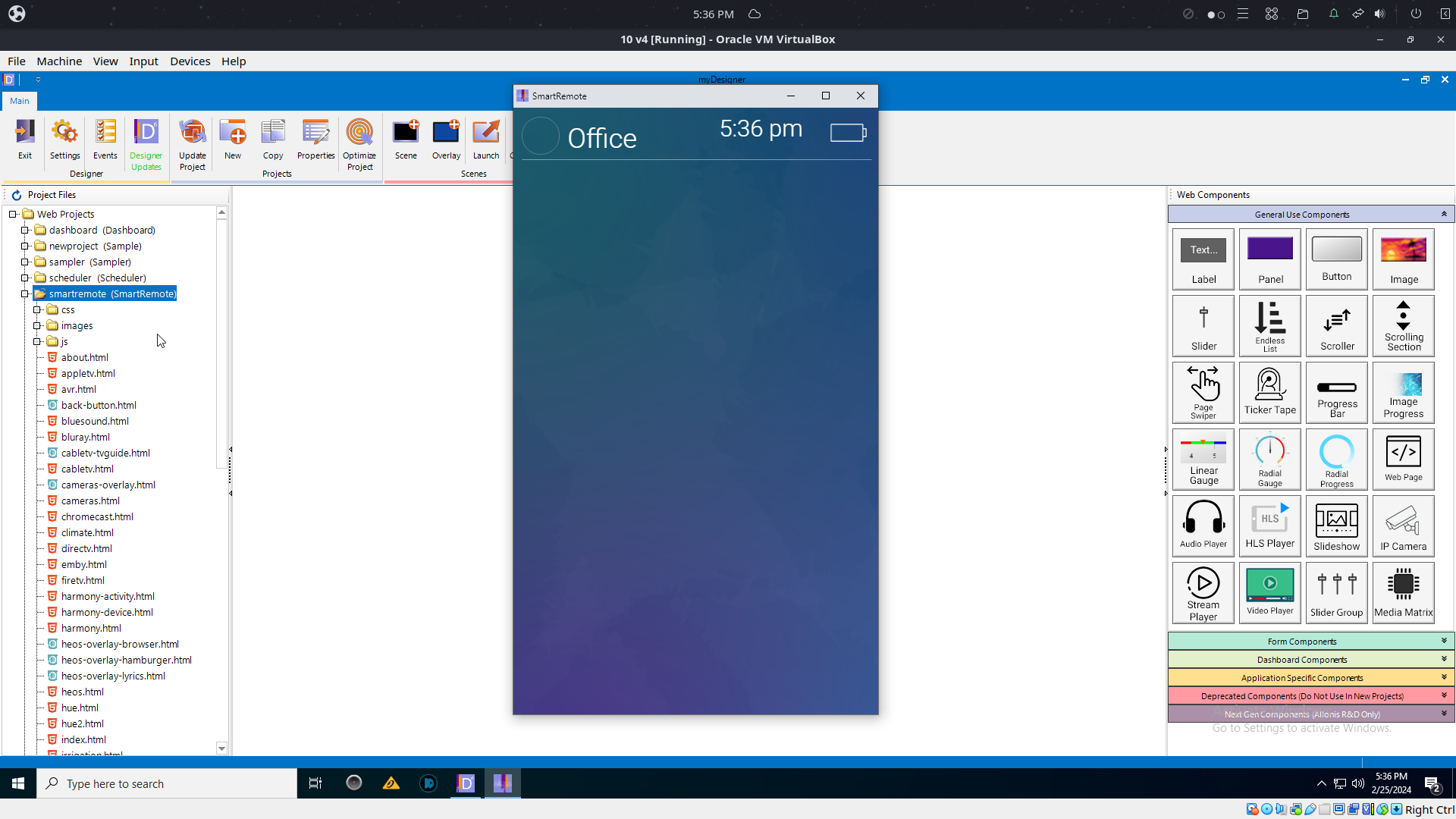
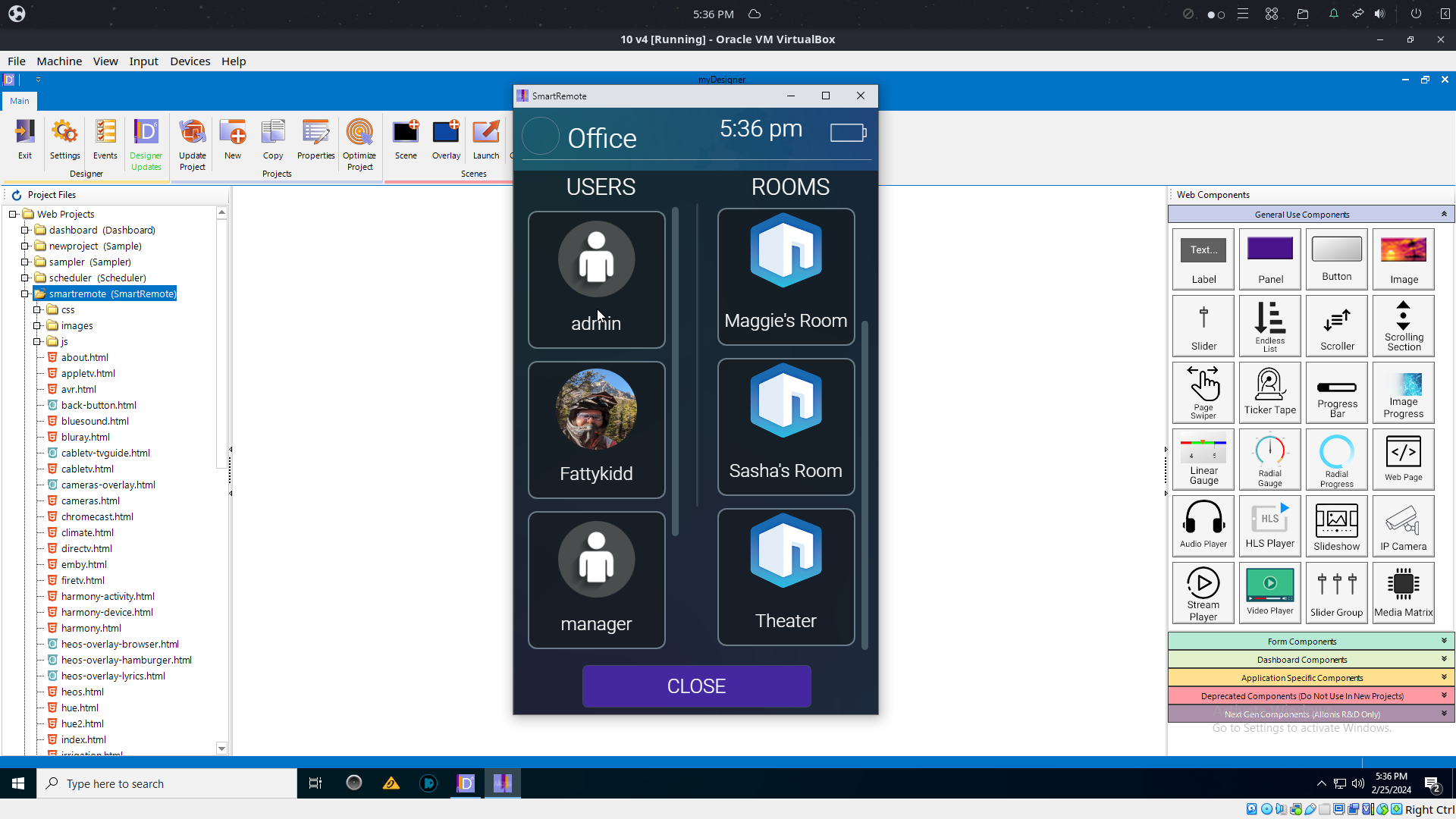
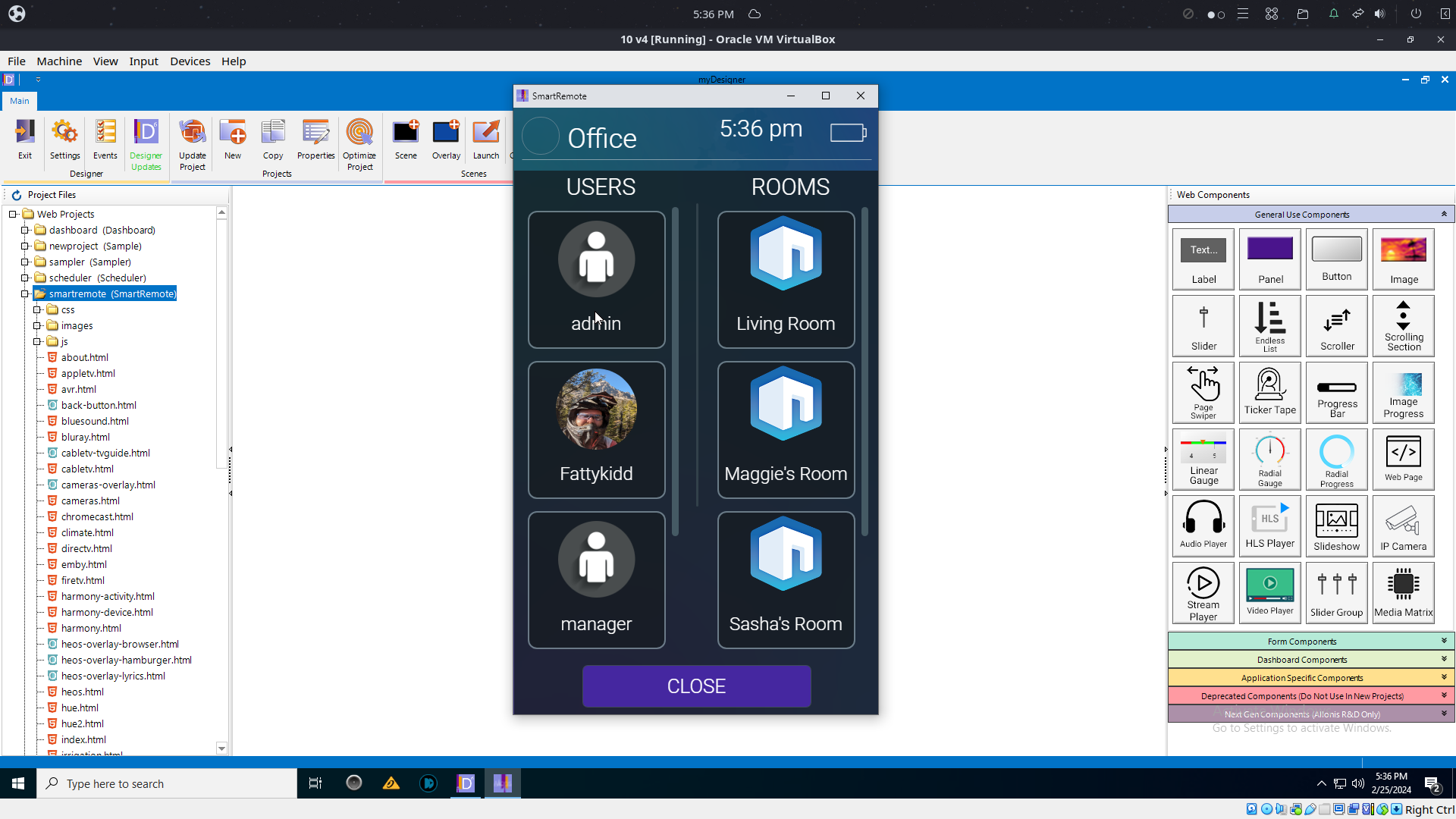
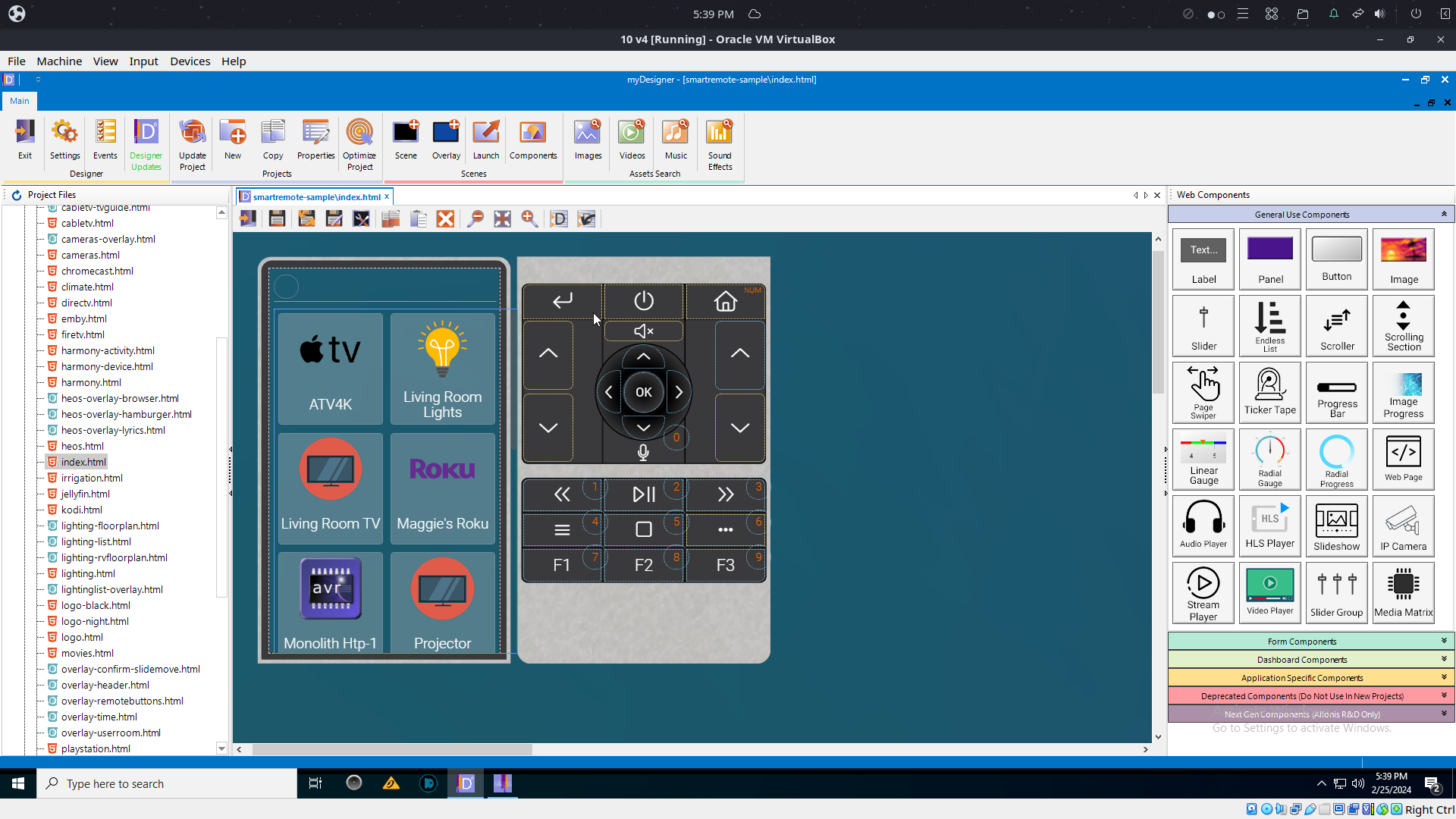
Last edit: 2 years 7 months ago by Fattykidd.
Please Log in or Create an account to join the conversation.

Re: Need some clarity/guidance
2 years 7 months ago
from newer documentation
Backing up the myServer system
Now that you have done some configuration, best to do a backup of the myServer 6 system
Backup the template(s): Create a wwwroot\backups folder. Copy the "smartremote" folder into backups. Download from software updater the "smartremote-sample". Rename that "smartremote" in the wwwroot folder. You are then using the latest files from Allonis. If you had a custom "mywebpage.html", you can copy that from backups\smartremote into the wwwroot\smartremote folder.
Do you want me to TV into your system to see what's up?
Backing up the myServer system
Now that you have done some configuration, best to do a backup of the myServer 6 system
Backup the template(s): Create a wwwroot\backups folder. Copy the "smartremote" folder into backups. Download from software updater the "smartremote-sample". Rename that "smartremote" in the wwwroot folder. You are then using the latest files from Allonis. If you had a custom "mywebpage.html", you can copy that from backups\smartremote into the wwwroot\smartremote folder.
Do you want me to TV into your system to see what's up?
Please Log in or Create an account to join the conversation.
Re: Need some clarity/guidance
2 years 7 months agoC'mon in David.from newer documentation
Backing up the myServer system
Now that you have done some configuration, best to do a backup of the myServer 6 system
Backup the template(s): Create a wwwroot\backups folder. Copy the "smartremote" folder into backups. Download from software updater the "smartremote-sample". Rename that "smartremote" in the wwwroot folder. You are then using the latest files from Allonis. If you had a custom "mywebpage.html", you can copy that from backups\smartremote into the wwwroot\smartremote folder.
Do you want me to TV into your system to see what's up?
Updates are done, Backup is done,
Please Log in or Create an account to join the conversation.
Re: Need some clarity/guidance
2 years 7 months agoI upgraded to the latest smartremote-sample. You old ones are in the backups directory. All seems to be fine...what is the issue?from newer documentation
Backing up the myServer system
Now that you have done some configuration, best to do a backup of the myServer 6 system
Backup the template(s): Create a wwwroot\backups folder. Copy the "smartremote" folder into backups. Download from software updater the "smartremote-sample". Rename that "smartremote" in the wwwroot folder. You are then using the latest files from Allonis. If you had a custom "mywebpage.html", you can copy that from backups\smartremote into the wwwroot\smartremote folder.
Do you want me to TV into your system to see what's up?
Please Log in or Create an account to join the conversation.
Time to create page: 0.314 seconds

Copyright © 2026 Allonis. All Rights Reserved.