

Client Support
Sprinkler Relay Questions


Re: Sprinkler Relay Questions
6 months 5 days ago
It's the same as SKU 101-70-141. Discontinued. Found here.
www.sainsmart.com/products/rj45-tcp-ip-r...ntegrated-8-ch-relay
Thx
Thx
Please Log in or Create an account to join the conversation.
Re: Sprinkler Relay Questions
6 months 4 days ago
I'm still not clear on how the Sainsmart driver works and what exactly goes in the Device Address field. Advice appreciated. Thx.
Please Log in or Create an account to join the conversation.


Re: Sprinkler Relay Questions
5 months 4 weeks ago - 5 months 4 weeks ago
IPRelays|AddController~Name~Address~Port~Relays~room
That's the Add Device command. Address= IP address, Port = the port you have the relay configured for ie: 3000, Relays = number of relays on the controller ie: 8. Room can be "Equipment"
Do you have the relay working via it's embedded webpage? That's first step.
That's the Add Device command. Address= IP address, Port = the port you have the relay configured for ie: 3000, Relays = number of relays on the controller ie: 8. Room can be "Equipment"
Do you have the relay working via it's embedded webpage? That's first step.
Last edit: 5 months 4 weeks ago by David Li.
Please Log in or Create an account to join the conversation.
Re: Sprinkler Relay Questions
5 months 4 weeks ago
The relay controller can be accessed and controlled using a browser by typing in 192.168.10.25/30000.
I did find this in the iMatic documentation."Note: the "Port" is not really a port number at all. It is just a custom URL path. So, the device is always on Port 80 and cannot be changed if you need to Port Forward your firewall for some reason.
I tried IPRelays|AddController~IPRelayController1~192.68.10.25~30000~8~Infrastructure.
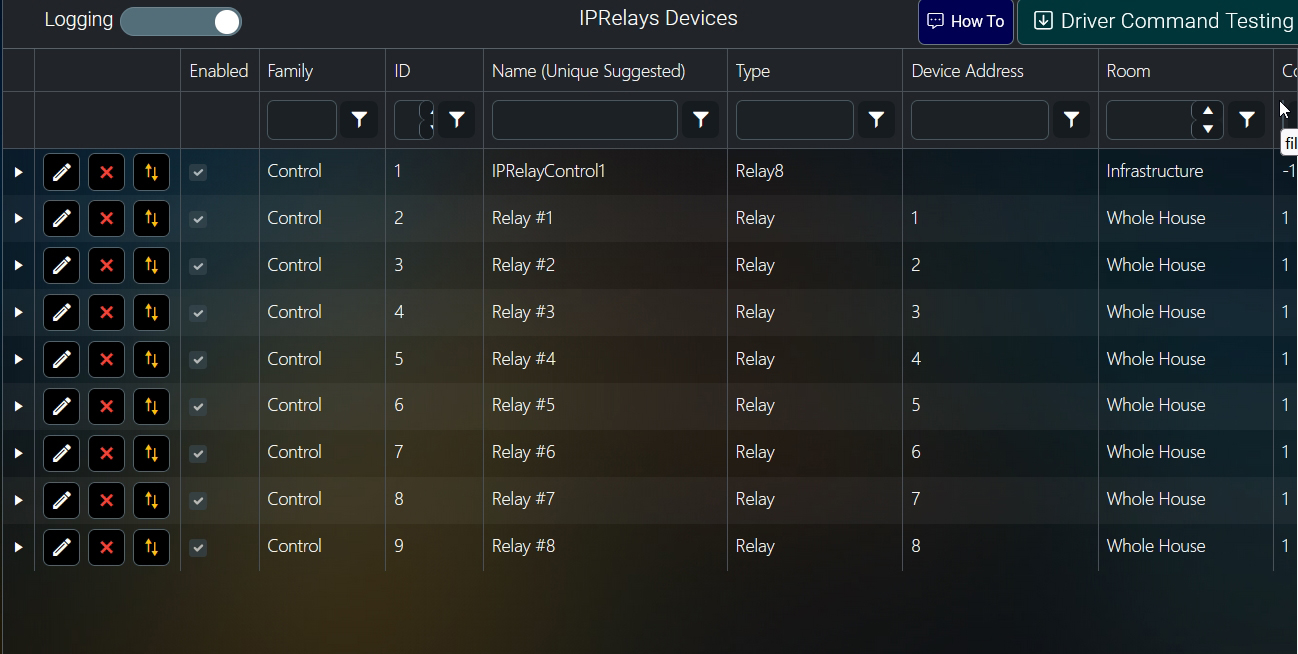
The resulting screen looks like the attached - blank device address.. I have tried manually configuring the address 192.168.10.25/30000 or 192.168.10.25:30000 or 192.168.10.25:80 or http://192.168.10.25:80. Can't find something that makes MyServer happy.
Thx
I did find this in the iMatic documentation."Note: the "Port" is not really a port number at all. It is just a custom URL path. So, the device is always on Port 80 and cannot be changed if you need to Port Forward your firewall for some reason.
I tried IPRelays|AddController~IPRelayController1~192.68.10.25~30000~8~Infrastructure.
The resulting screen looks like the attached - blank device address.. I have tried manually configuring the address 192.168.10.25/30000 or 192.168.10.25:30000 or 192.168.10.25:80 or http://192.168.10.25:80. Can't find something that makes MyServer happy.
Thx
Please Log in or Create an account to join the conversation.
Re: Sprinkler Relay Questions
5 months 3 weeks ago
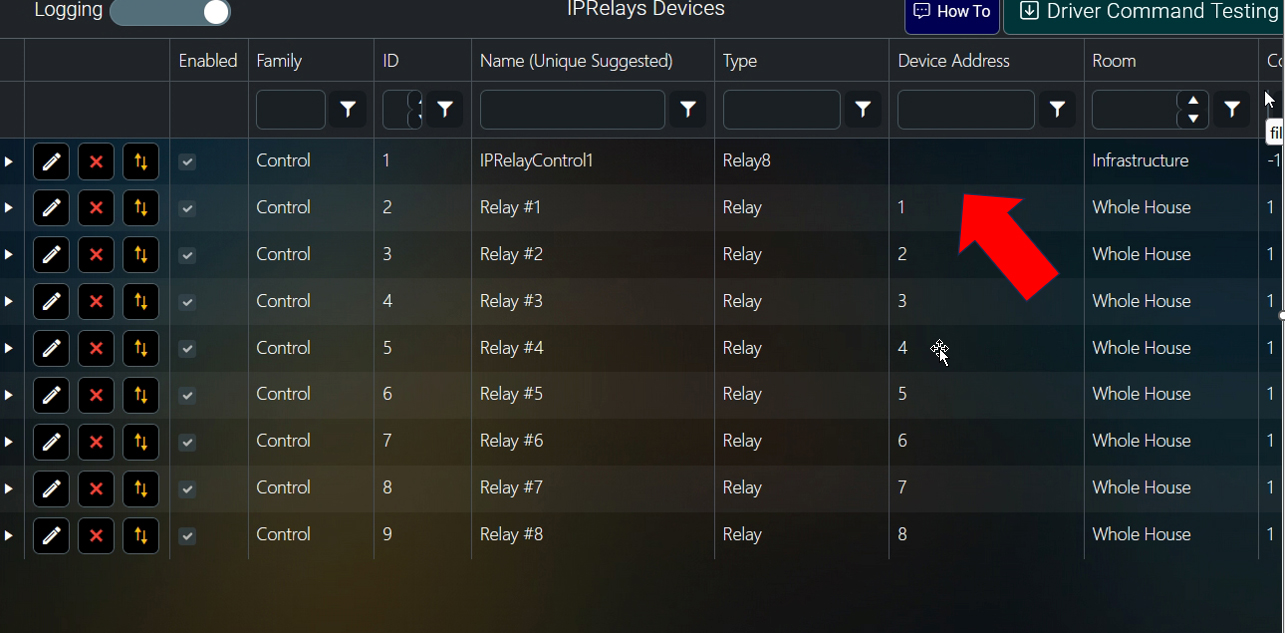
Still can't get this to work. So exactly what is supposed to go in the device address? And what format?
Thanks Chris
Thanks Chris
Please Log in or Create an account to join the conversation.
Re: Sprinkler Relay Questions
5 months 3 weeks ago
Still can't figure this out. Response to my previous message would be appreciated. I also tried the iMatic driver with similar results. Thx.
Please Log in or Create an account to join the conversation.
Time to create page: 0.304 seconds

Copyright © 2026 Allonis. All Rights Reserved.