

Client Support
Buttons Disappeared


Buttons Disappeared
2 years 1 month ago
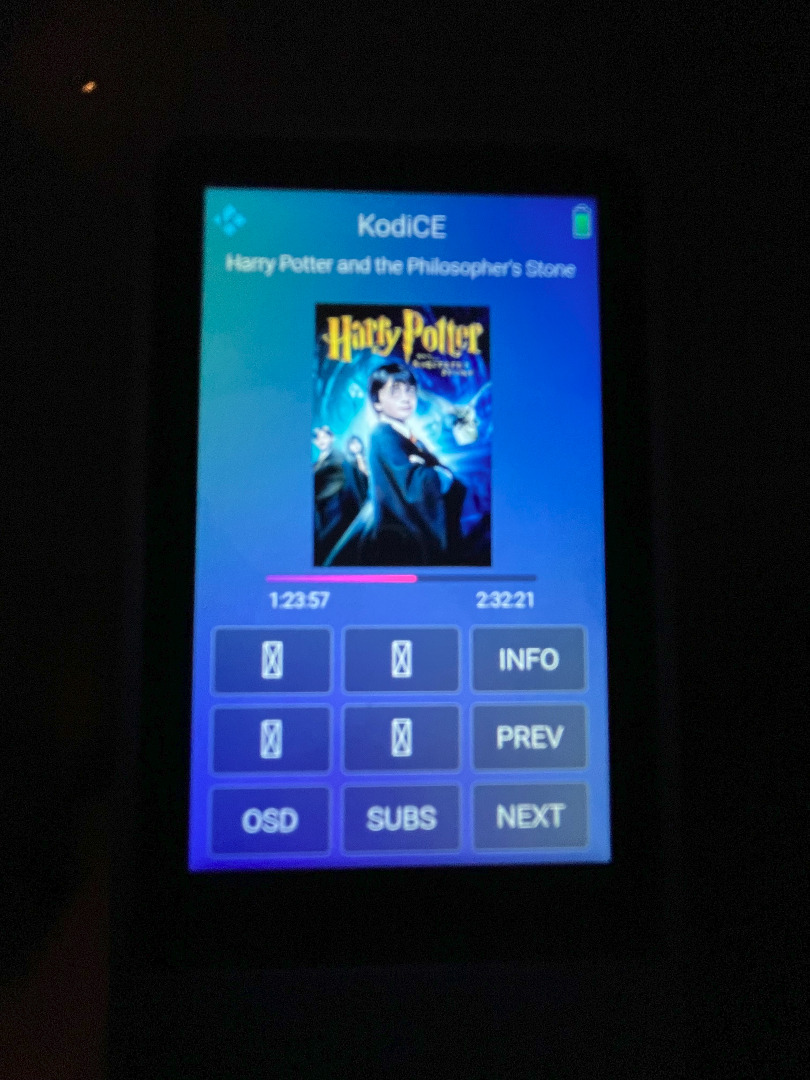
On the Kodi device page, the images on 4 buttons on my remote have disappeared, and were replaced with a box with diagonal lines.
When viewed in myDesigner, the buttons look correct.
I am running the default smart remote project, with no changes. I install the latest updates to myServer as they are released.
I have no idea what changed that caused the problem, so I don't know what to do to fix it.
Image attached to the first reply.
When viewed in myDesigner, the buttons look correct.
I am running the default smart remote project, with no changes. I install the latest updates to myServer as they are released.
I have no idea what changed that caused the problem, so I don't know what to do to fix it.
Image attached to the first reply.
Please Log in or Create an account to join the conversation.
Please Log in or Create an account to join the conversation.


Re: Buttons Disappeared
2 years 1 month ago
I haven't looked but open that webpage in myDesigner, see what path the UI is looking for those graphics and see if those graphics exist on your myServer system at the path.
You can also look in Chrome Inspect Console to see the error (that will exist if graphic doesn't exist.
You can also look in Chrome Inspect Console to see the error (that will exist if graphic doesn't exist.
Please Log in or Create an account to join the conversation.
Re: Buttons Disappeared
2 years 1 month ago
The four graphics are implemented as icons.
fal.backward-step
fal.forward-step
fal.shuffle
fal.arrows-repeat
I don't see any more information than that in myDesigner.
The icons render correctly in myDesigner, just not on the smart remote.
When you say look in the Chrome Inspect Console, do you mean on the remote itself? How do I do that?
fal.backward-step
fal.forward-step
fal.shuffle
fal.arrows-repeat
I don't see any more information than that in myDesigner.
The icons render correctly in myDesigner, just not on the smart remote.
When you say look in the Chrome Inspect Console, do you mean on the remote itself? How do I do that?
Please Log in or Create an account to join the conversation.
Re: Buttons Disappeared
2 years 1 month ago
clear cache on the remote. and certainly you are sure its network connected. chrome://devices you can try from myserver desktop
Please Log in or Create an account to join the conversation.
Re: Buttons Disappeared
2 years 1 month ago
Clearing the cache on the remote fixed it.
There might be an easier way, but I did this by first selecting the ... hard button and then Exit Smart Remote. From the desktop, choose Settings, Storage, Other Apps, SmartRemote. Then Clear Cache. Back to the desktop, and relaunch the SmartRemote app.
Is this documented anywhere, along with some other basic debugging tips?
There might be an easier way, but I did this by first selecting the ... hard button and then Exit Smart Remote. From the desktop, choose Settings, Storage, Other Apps, SmartRemote. Then Clear Cache. Back to the desktop, and relaunch the SmartRemote app.
Is this documented anywhere, along with some other basic debugging tips?
Please Log in or Create an account to join the conversation.
Time to create page: 0.274 seconds

Copyright © 2026 Allonis. All Rights Reserved.