

Client Support
Sony Blu-Ray over IR

Sony Blu-Ray over IR
2 years 4 months ago - 2 years 4 months ago
I have a Sony Blu-Ray player I'm trying to use over IR. I'm trying to figure out what driver I would use for it since I don't see a specific Sony IR driver.
I did some testing using the "Sony Most Used" IR command set and it works but I have to double send the command. Is there a way to make the IR signal last longer or double send each command?
Thanks..
I did some testing using the "Sony Most Used" IR command set and it works but I have to double send the command. Is there a way to make the IR signal last longer or double send each command?
Thanks..
Last edit: 2 years 4 months ago by Matt22.
Please Log in or Create an account to join the conversation.

Re: Sony Blu-Ray over IR
2 years 4 months ago
Sony's love to have repeat codes. Sometimes 2 mostly 3. Install today's server update.
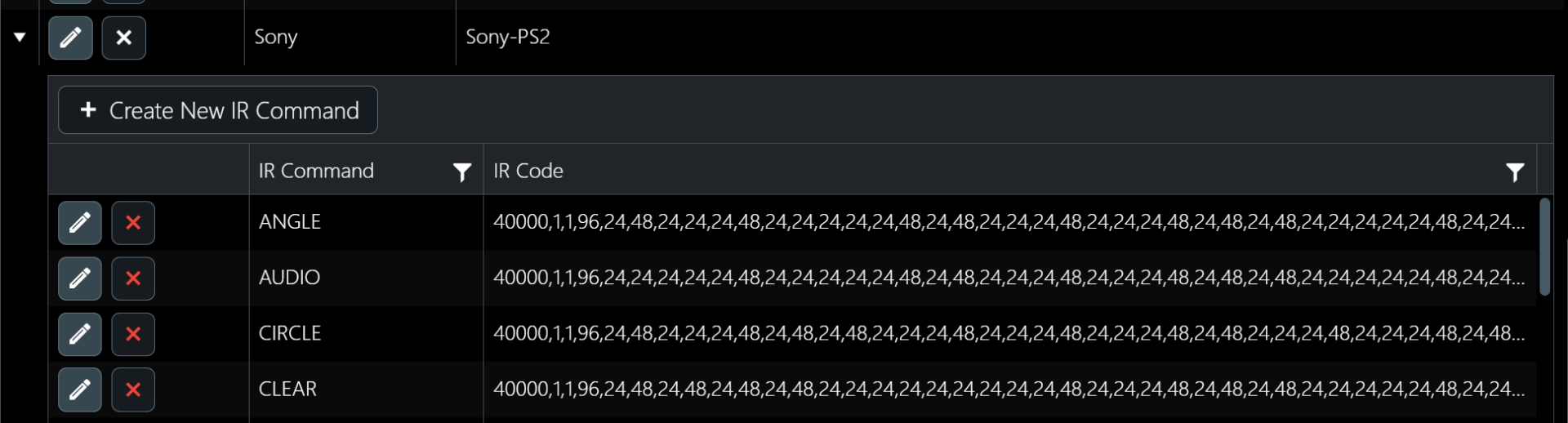
Then go to the IR Database page. Expand the model for the Sony Bluray. It probably has codes that look like the following.
The first two numbers in the IRCodes are the frequency and repeat count. Repeats default to 1. We're going to change this.
Pull down the IR Command Testing and use the new SetIRRepeat command.
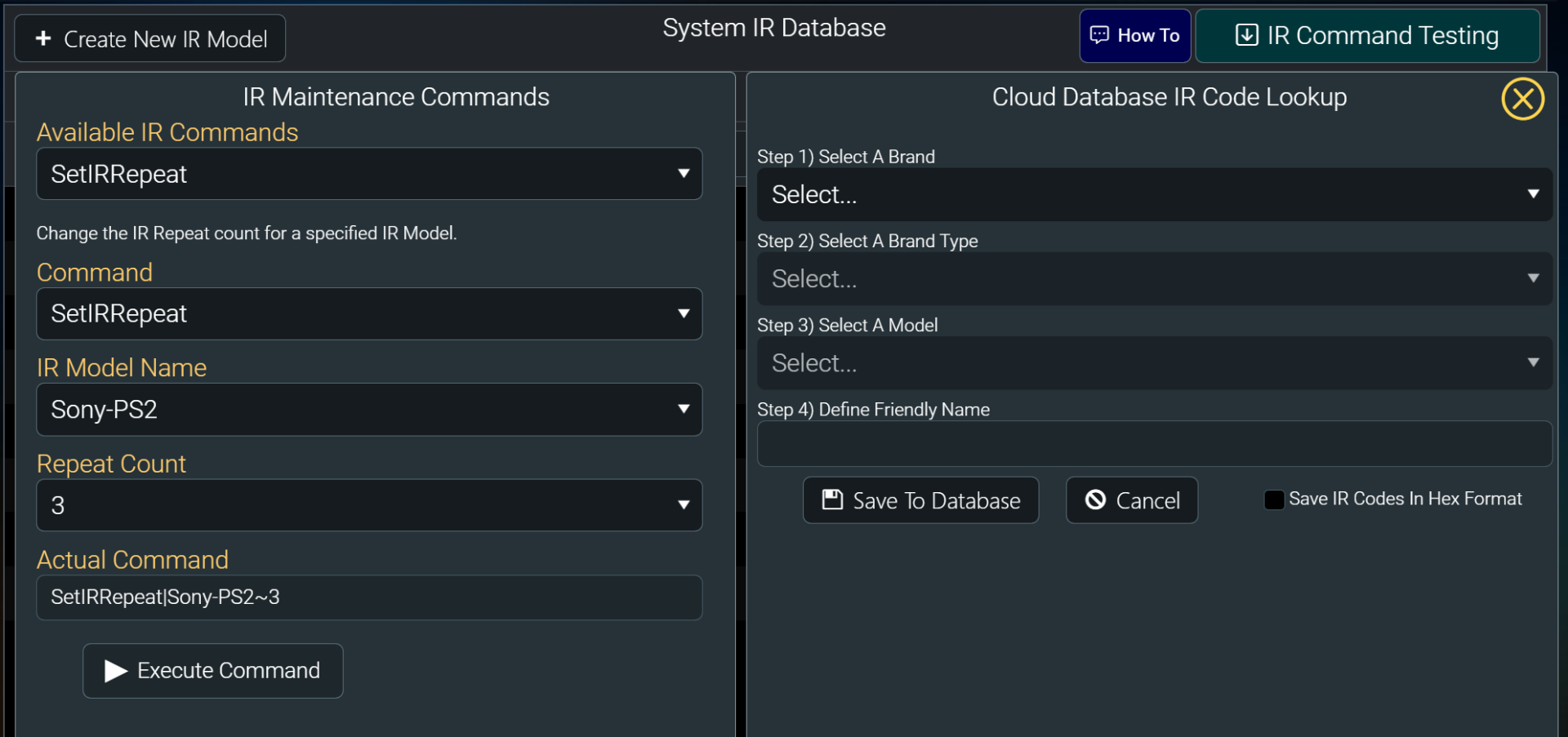
Select the Sony model name and set the repeat to 3 and execute.
Refresh the grid and you should now see the IR repeat count on the IR codes set to 3.
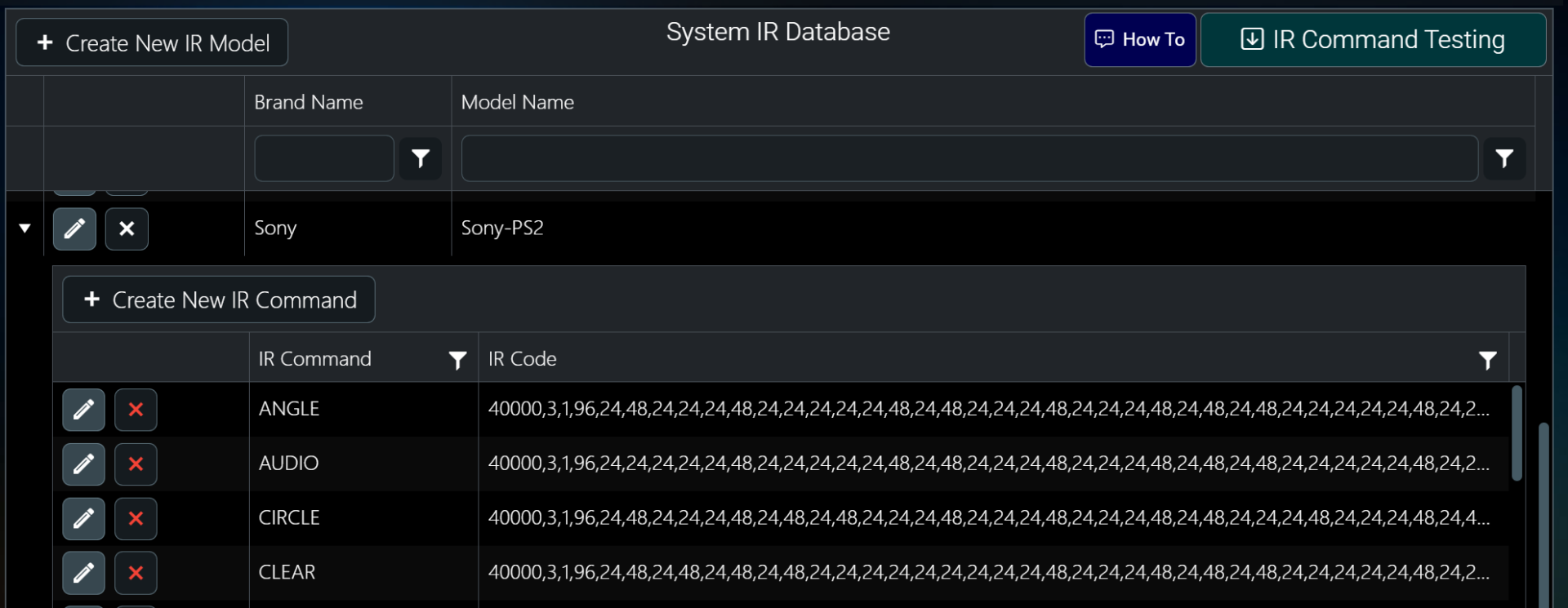
Now you can test on the live bluray player. If you are getting multiple button presses then the repeat count is probably too high. Go back in and drop it to 2. Experiment until you find the sweet spot.
Then go to the IR Database page. Expand the model for the Sony Bluray. It probably has codes that look like the following.
The first two numbers in the IRCodes are the frequency and repeat count. Repeats default to 1. We're going to change this.
Pull down the IR Command Testing and use the new SetIRRepeat command.
Select the Sony model name and set the repeat to 3 and execute.
Refresh the grid and you should now see the IR repeat count on the IR codes set to 3.
Now you can test on the live bluray player. If you are getting multiple button presses then the repeat count is probably too high. Go back in and drop it to 2. Experiment until you find the sweet spot.
Please Log in or Create an account to join the conversation.
Re: Sony Blu-Ray over IR
2 years 3 months ago
Thanks Dave I appreciate the detailed reply.. I will give this a try.. My only other issue is what Driver do I use for the Sony Blu-Ray player so it shows up as an option on the remote?
Please Log in or Create an account to join the conversation.
Re: Sony Blu-Ray over IR
2 years 3 months ago
What Driver do I use for the Sony Blu-Ray player so it shows up as an option on the remote?
Thanks..
Thanks..
Please Log in or Create an account to join the conversation.

Re: Sony Blu-Ray over IR
2 years 3 months ago
I believe you would use the Bluray Player IR control driver. So you load your IR codes into the IR database. Then in the Bluray Player IR control driver you point it at the IR codes that you added to the database.
Please Log in or Create an account to join the conversation.
Time to create page: 0.290 seconds

Copyright © 2026 Allonis. All Rights Reserved.