

Client Support
Launch App


Launch App
2 years 5 months ago
I'm hoping to get the Launch command to work on my SmartRemote. Testing from myServer, I have not had success getting any of the apps to launch using the Samsung Smart TV driver. I have the Tizen driver too, but don't have my TV configured with it yet.
Has anybody had success getting an App to launch using either of the samsung TV drivers for myServer?
Has anybody had success getting an App to launch using either of the samsung TV drivers for myServer?
Please Log in or Create an account to join the conversation.

Re: Launch App
2 years 4 months ago
The Tizen driver has the ability to launch apps. When the driver connects to a TV it will execute a GetApps query. This should generate a host of server variables with a prefix of {{av_NN_app_MM_id}} and {{av_NN_app_MM_name}}.
To launch one of the apps you would use the command AV|{{active_tv_{{clientname}}}}~Launch~<<APP ID FROM ABOVE>>
If Netflix is app id 666 then AV|<id>~Launch~666 should make it happen.
To launch one of the apps you would use the command AV|{{active_tv_{{clientname}}}}~Launch~<<APP ID FROM ABOVE>>
If Netflix is app id 666 then AV|<id>~Launch~666 should make it happen.
Please Log in or Create an account to join the conversation.
Re: Launch App
2 years 4 months ago - 2 years 4 months ago
I am connected to the TV with Tizen, and I see some server variables from that, such as needspairing = 0, power = 1, etc. I am able to issue commands like On/Off to control the TV, and those work, but I am not seeing the apps in Server Variables.
I'm on the latest Tizen driver version. I'm updating myServer to see if that matters. Anything else I should try?
My TV is a 2022 Samsung Frame if that makes a difference.
Edit: I'm now on the latest myServer version. I did ReloadDevice on the Tizen. Seeing the same thing- no apps in Server Variables.
I'm on the latest Tizen driver version. I'm updating myServer to see if that matters. Anything else I should try?
My TV is a 2022 Samsung Frame if that makes a difference.
Edit: I'm now on the latest myServer version. I did ReloadDevice on the Tizen. Seeing the same thing- no apps in Server Variables.
Last edit: 2 years 4 months ago by zshaiken.
Please Log in or Create an account to join the conversation.
Re: Launch App
2 years 4 months ago
Install the latest Tizen driver. The GetApps command was previously hidden. Now it is exposed in command builder.
Turn on verbose logging in the Tizen driver.
Make sure the TV is on.
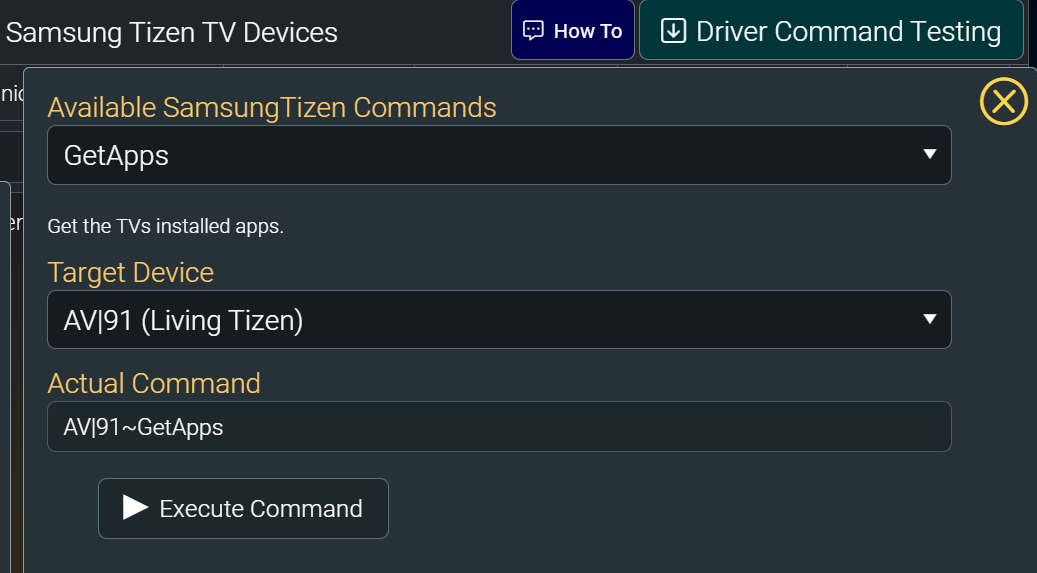
From Tizen command builder run the GetApps command on the TV.
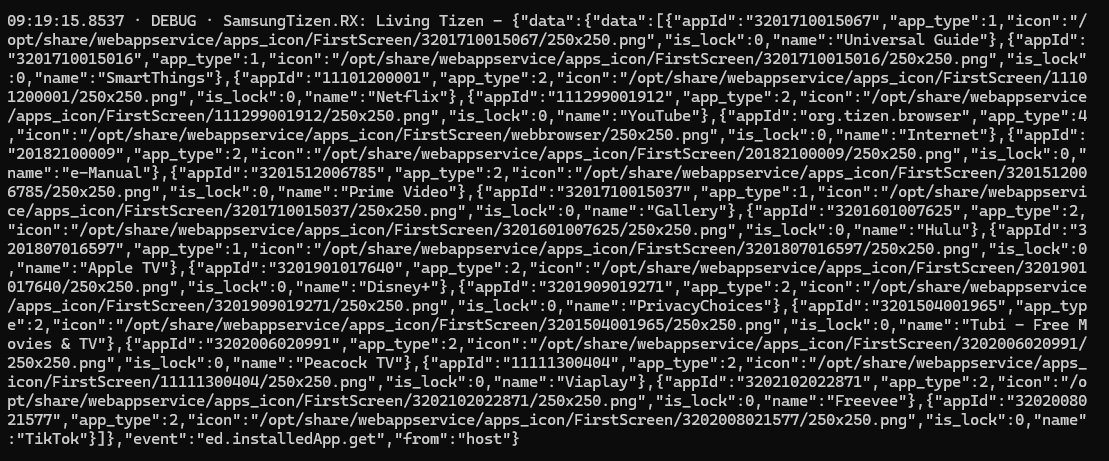
The server event log should show a large json response.
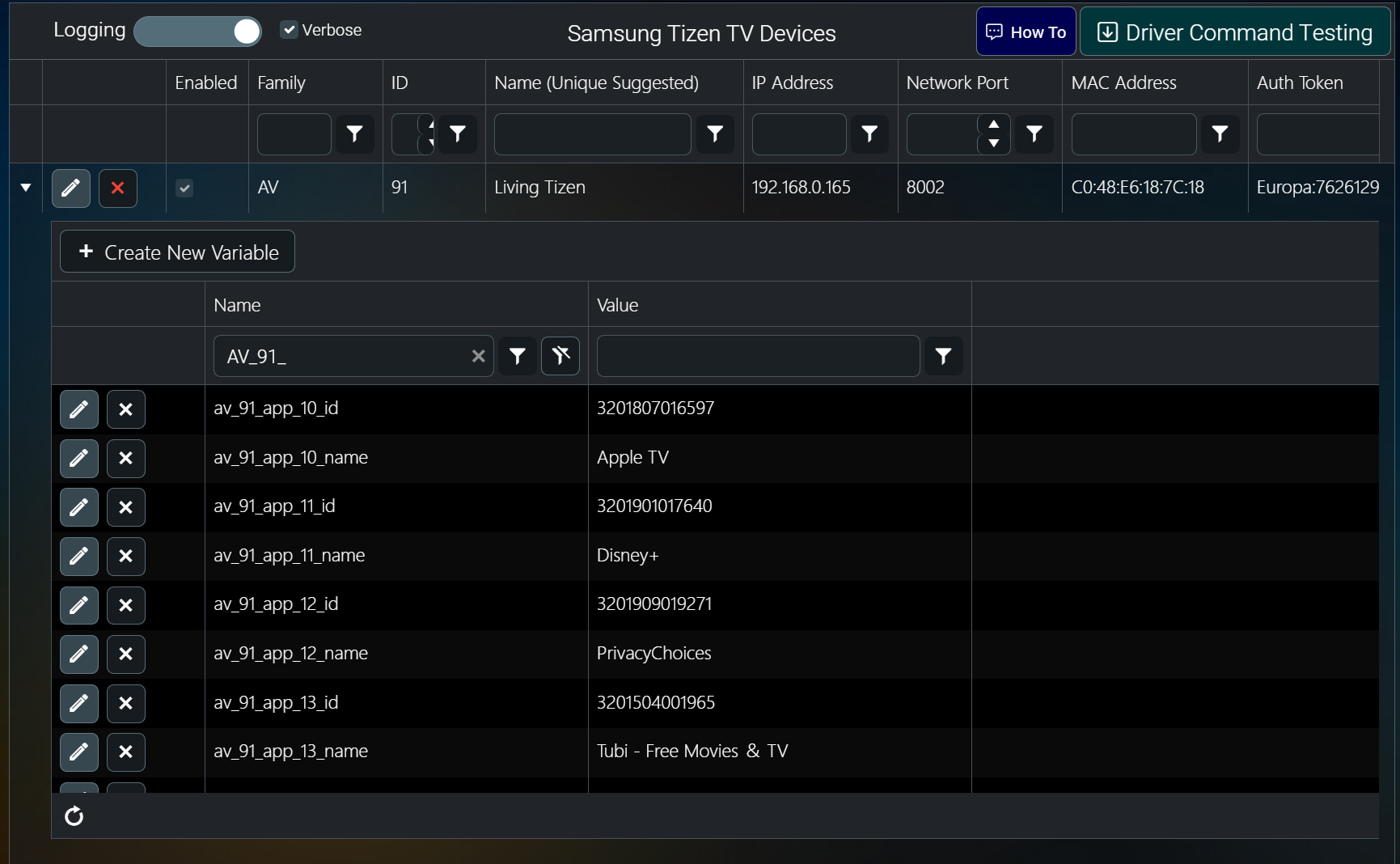
Then refresh the device grid in the dashboard and expand the selected TV to see it's server variables. You should now see a series of variables that describes each of the apps on the TV. To launch an app you would use the Launch command specifying the app id.
Turn on verbose logging in the Tizen driver.
Make sure the TV is on.
From Tizen command builder run the GetApps command on the TV.
The server event log should show a large json response.
Then refresh the device grid in the dashboard and expand the selected TV to see it's server variables. You should now see a series of variables that describes each of the apps on the TV. To launch an app you would use the Launch command specifying the app id.
Please Log in or Create an account to join the conversation.
Re: Launch App
2 years 4 months ago - 2 years 4 months ago
Hi Dave, I appreciate the response and the help here. Unfortunately I'm still not having success. I have updated both myServer and Tizen to the latest versions. I have verbose logging on. TV is on. I have confirmed I can use the Tizen driver to control the TV with other commands. When I run GetApps, I only see this in the logs:
23/05/2024 01:03:55.03 · DEBUG · Server.doCommand - AV|56~GetApps from dashboard-fx-if06
23/05/2024 01:03:55.03 · DEBUG · SamsungTizen.doCommand - Cmd=[56~GetApps] Client=[dashboard-fx-if06]
Not seeing a JSON response, and not seeing any server variables created.
23/05/2024 01:03:55.03 · DEBUG · Server.doCommand - AV|56~GetApps from dashboard-fx-if06
23/05/2024 01:03:55.03 · DEBUG · SamsungTizen.doCommand - Cmd=[56~GetApps] Client=[dashboard-fx-if06]
Not seeing a JSON response, and not seeing any server variables created.
Last edit: 2 years 4 months ago by zshaiken.
Please Log in or Create an account to join the conversation.

Re: Launch App
2 years 4 months ago
FYI, we have seen differences in protocol between regular Tizen Samsung TVs and the Samsung Frame TV. They seem to have crippled some of the functions. Not sure if that is related here but an observation.
Please Log in or Create an account to join the conversation.
Time to create page: 0.279 seconds

Copyright © 2026 Allonis. All Rights Reserved.