

Client Support
Connecting to myserver share on RPi from Windows 11 Pro


Connecting to myserver share on RPi from Windows 11 Pro
2 years 7 months ago - 2 years 7 months ago
I could have sworn I've seen discussion about this elsewhere, either in the forum or the documentation, but I can't find it now. Anyway, I finally gave in and while waiting for my rack mount server I've bought a Raspberry Pi 5 to try things out on. I got the myServer master image downloaded and booted off a USB drive fine, then ran into a hurdle while trying to connect to the share at \\<myIP>\myserver. After many hours of messing around and Googling it seems to be something to do with ever-tightening security on the Microsoft client side on my Windows 11 Pro PC's (it happens on all of them).
I can't just browse to the share in Windows File Explorer as it tries to connect with my logged in Windows user account which obviously doesn't work, and I can't get Windows Explorer to prompt for other credentials. The best I've got is if I reboot (to clear any previous cached failed connection attempts) then in a CMD window I can run
and it will prompt for the password then create a working mapped drive at m:\. I can then run myDesigner and in the config field for the share if I put "m:" it thankfully works, or at least it seems to. Windows File Explorer still won't browse to \\<myIP>\myserver though.
I messed around with so much last night I'm not sure what else was necessary now but I think I had to create a samba user on the RPi by running
Anyone else battling against Windows 11 Pro? I tried various group policy changes I found by Googling and none of them seem to let me browse to the share in Explorer - I have to use the command line and map a drive letter.
Andrew
I can't just browse to the share in Windows File Explorer as it tries to connect with my logged in Windows user account which obviously doesn't work, and I can't get Windows Explorer to prompt for other credentials. The best I've got is if I reboot (to clear any previous cached failed connection attempts) then in a CMD window I can run
Code:
net use m: \\<myIP>\myserver /USER:WORKGROUP\allonis *
and it will prompt for the password then create a working mapped drive at m:\. I can then run myDesigner and in the config field for the share if I put "m:" it thankfully works, or at least it seems to. Windows File Explorer still won't browse to \\<myIP>\myserver though.
I messed around with so much last night I'm not sure what else was necessary now but I think I had to create a samba user on the RPi by running
Code:
sudo smbpassword -a allonis
Anyone else battling against Windows 11 Pro? I tried various group policy changes I found by Googling and none of them seem to let me browse to the share in Explorer - I have to use the command line and map a drive letter.
Andrew
Last edit: 2 years 7 months ago by andrew. Reason: HTML stripping
Please Log in or Create an account to join the conversation.
Re: Connecting to myserver share on RPi from Windows 11 Pro
2 years 7 months ago
do you have SMB 1.0 support turned on
Start menu type: "windows features"
select turn windows features on off
select smb file sharing support
Thanks
Start menu type: "windows features"
select turn windows features on off
select smb file sharing support
Thanks
Please Log in or Create an account to join the conversation.
Re: Connecting to myserver share on RPi from Windows 11 Pro
2 years 7 months agodo you have SMB 1.0 support turned on
Start menu type: "windows features"
select turn windows features on off
select smb file sharing support
Thanks
Yeah, sorry, I should have mentioned all the things I've tried. They include (reluctantly) enabling SMB1 CIFS client on the Windows PCs. No go. Thanks anyway for the suggestion.
Andrew
Please Log in or Create an account to join the conversation.
Re: Connecting to myserver share on RPi from Windows 11 Pro
2 years 7 months agoWhat does it say when you do this ?do you have SMB 1.0 support turned on
Start menu type: "windows features"
select turn windows features on off
select smb file sharing support
Thanks
Yeah, sorry, I should have mentioned all the things I've tried. They include (reluctantly) enabling SMB1 CIFS client on the Windows PCs. No go. Thanks anyway for the suggestion.
Andrew
Please Log in or Create an account to join the conversation.
Re: Connecting to myserver share on RPi from Windows 11 Pro
2 years 7 months ago
I ran into a issue like this with OMV
Uninstalling smb reboot then reinstall windows updates borks that stuff.
Uninstalling smb reboot then reinstall windows updates borks that stuff.
Please Log in or Create an account to join the conversation.
Re: Connecting to myserver share on RPi from Windows 11 Pro
2 years 7 months agoWhat does it say when you do this ?do you have SMB 1.0 support turned on
Start menu type: "windows features"
select turn windows features on off
select smb file sharing support
Thanks
Yeah, sorry, I should have mentioned all the things I've tried. They include (reluctantly) enabling SMB1 CIFS client on the Windows PCs. No go. Thanks anyway for the suggestion.
Andrew
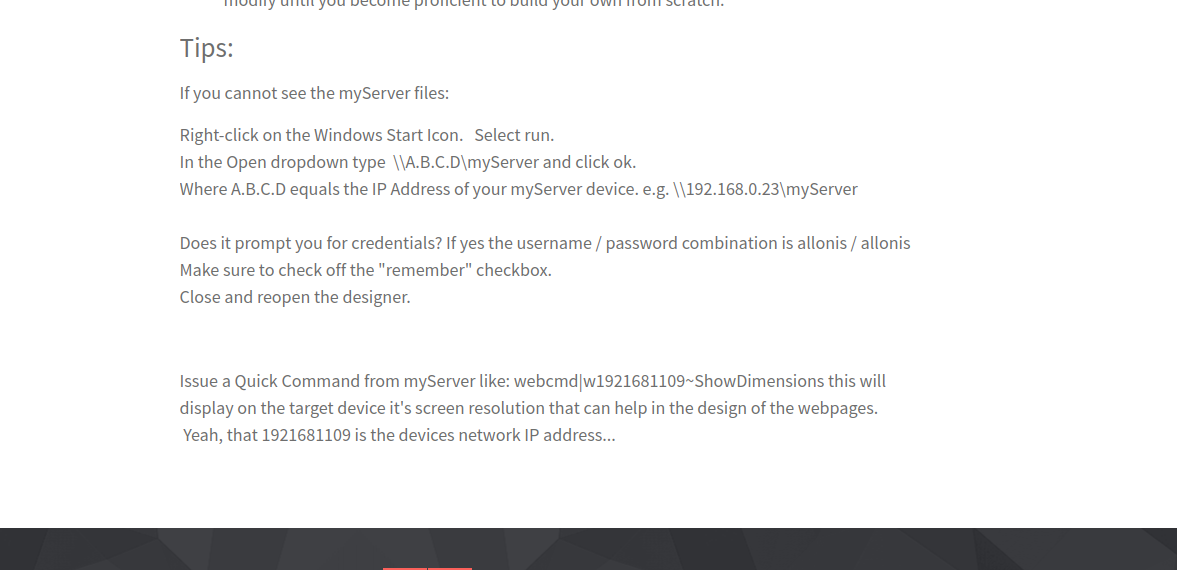
Ah, that was what I was remembering. It's in the docs isn't it? But I couldn't find it. Mind you it was 2am so I was a bit bleary-eyed by then. Anyway I'm afraid that has the same effect as typing the share into the File Explorer path bar - absolutely nothing happens (except the run dialog disappears in this case).
Andrew
Please Log in or Create an account to join the conversation.
Time to create page: 0.321 seconds

Copyright © 2026 Allonis. All Rights Reserved.