

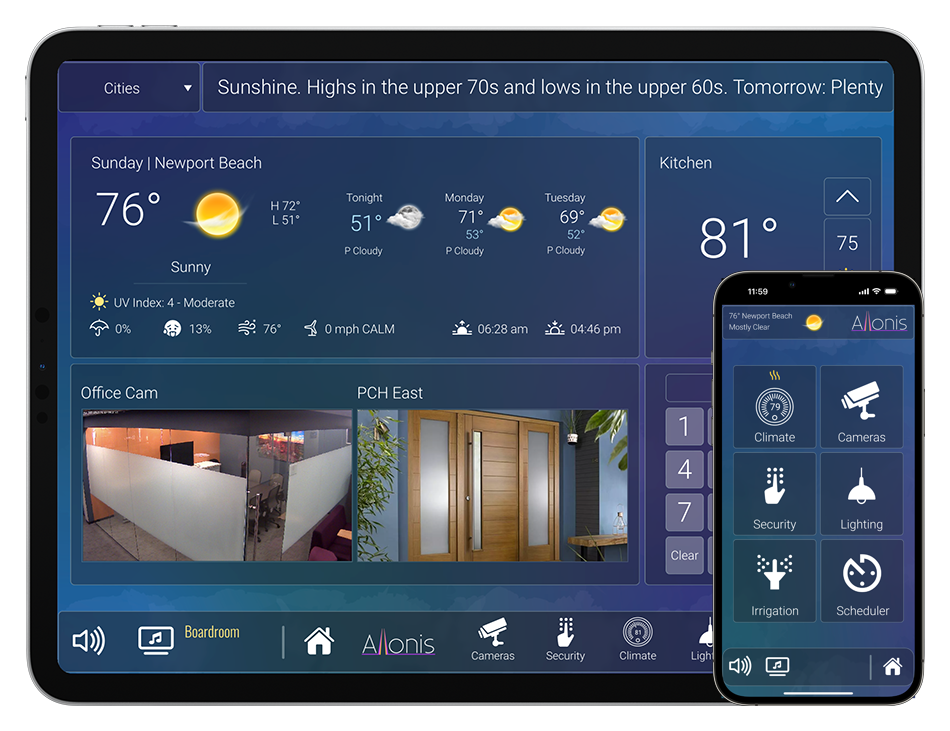

- Details
Downloading and Installing the Arduino IDE 2.0
In this tutorial, we will show how to download and install the Arduino IDE 2.0 on your Windows, Mac, or Linux computer.
You can easily download the editor from the Arduino Software page.
Requirements
- Windows - Win 10 and newer, 64 bits
- Linux - 64 bits
- Mac OS X - Version 10.14: "Mojave" or newer, 64 bits
The Arduino IDE 2.0
The Arduino IDE 2.0 is an open-source project. It is a big step from its sturdy predecessor, Arduino IDE 1.x, and comes with revamped UI, improved board & library manager, debugger, autocomplete feature and much more.
Download the Editor
Downloading the Arduino IDE 2.0 is done through the Arduino Software page. Here you will also find information on the other editors available to use.
Installation
Windows
To install the Arduino IDE 2.0 on a Windows computer, simply run the file downloaded from the software page.

Follow the instructions in the installation guide. The installation may take several minutes.
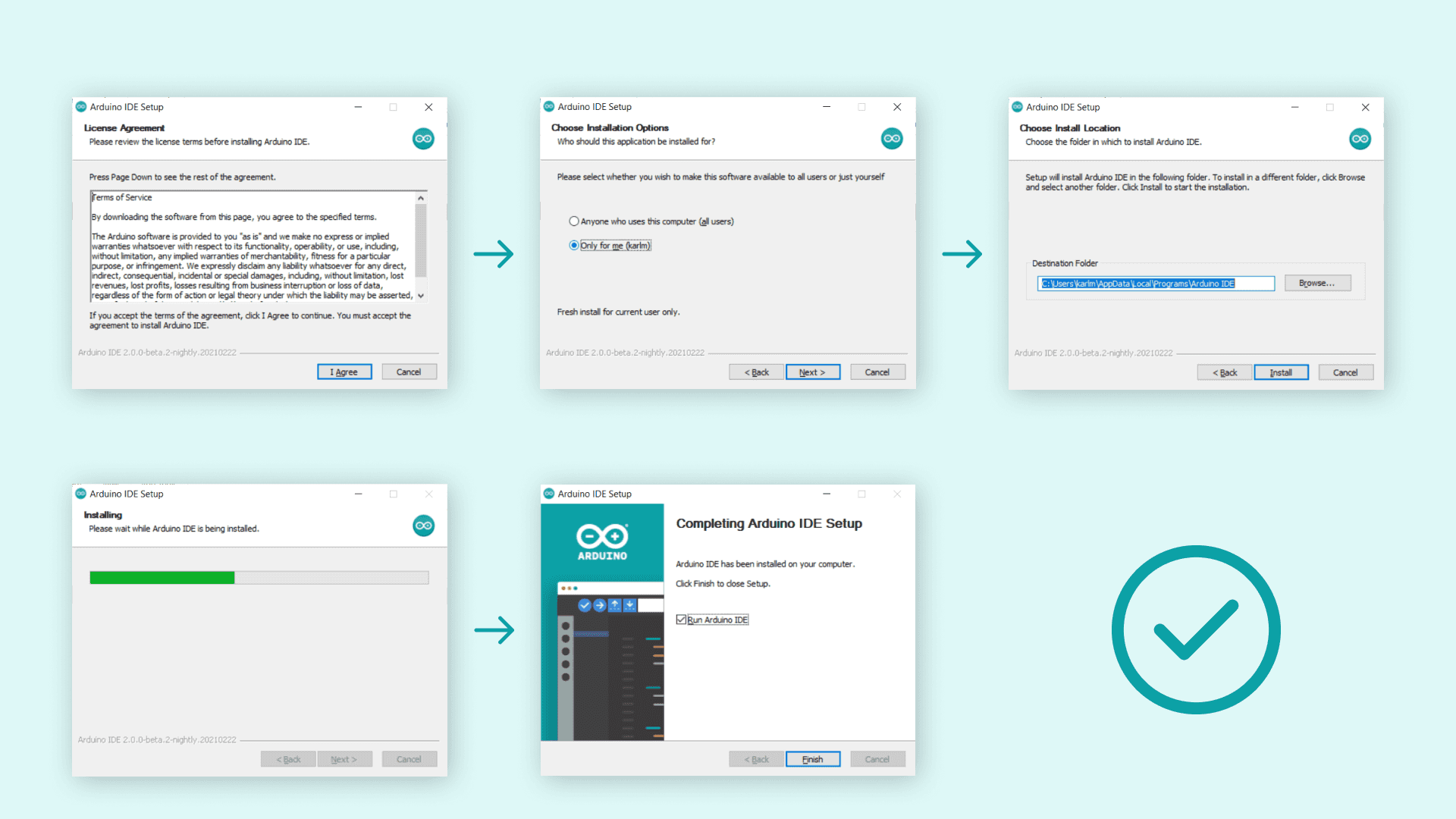
You can now use the Arduino IDE 2.0 on your Windows computer!
macOS
To install the Arduino IDE 2.0 on a macOS computer, simply copy the downloaded file into your application folder.
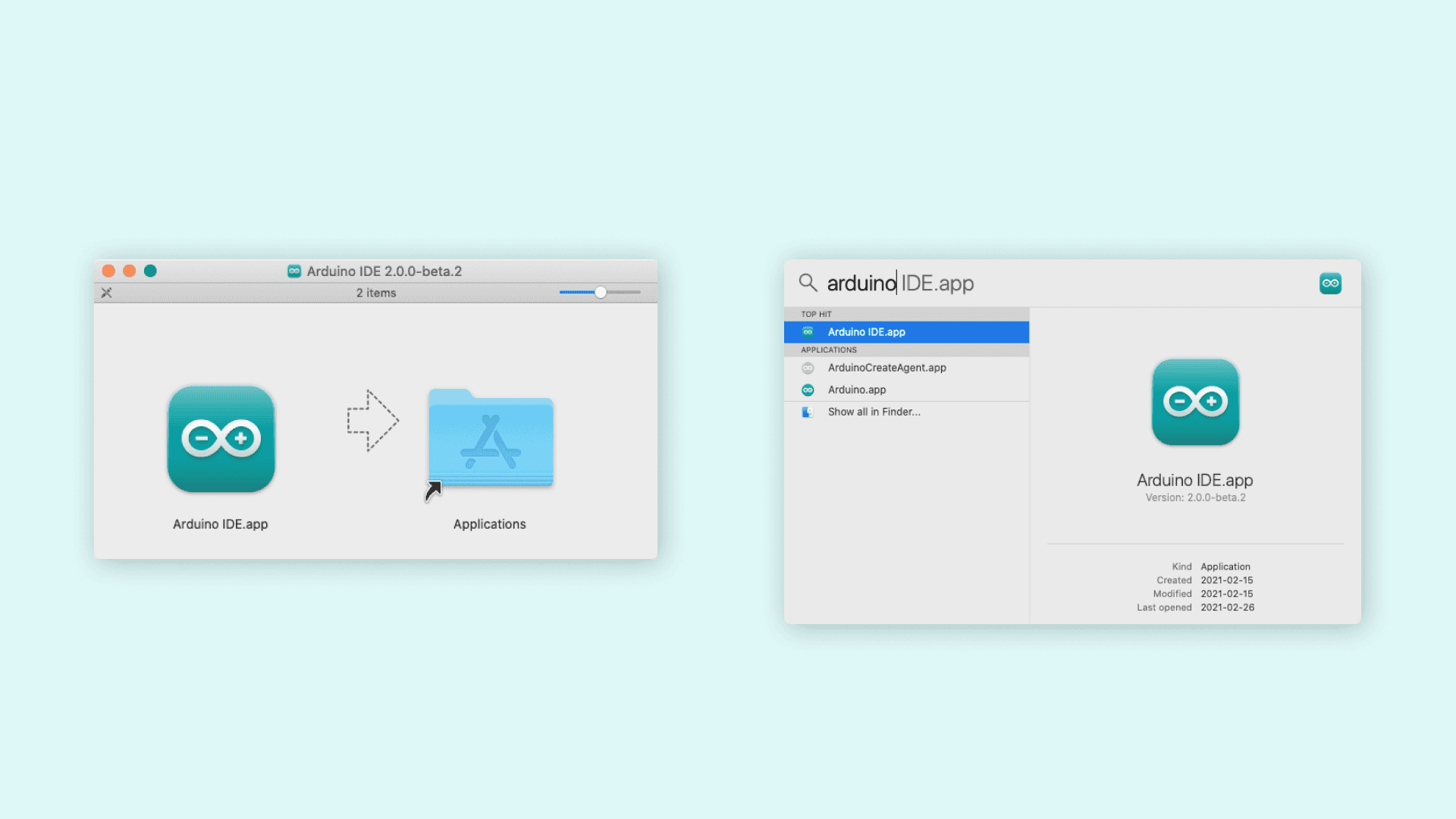
You can now use the Arduino IDE 2.0 on your macOS computer!
Linux
To install the Arduino IDE 2.0 on Linux, first download the AppImage 64 bits (X86-64) from the Arduino Software page.
Before we can launch the editor, we need to first make it an executable file. This is done by:
- right-click the file,
- choose Properties,
- select Permissions tab,
- tick the Allow executing file as program box.
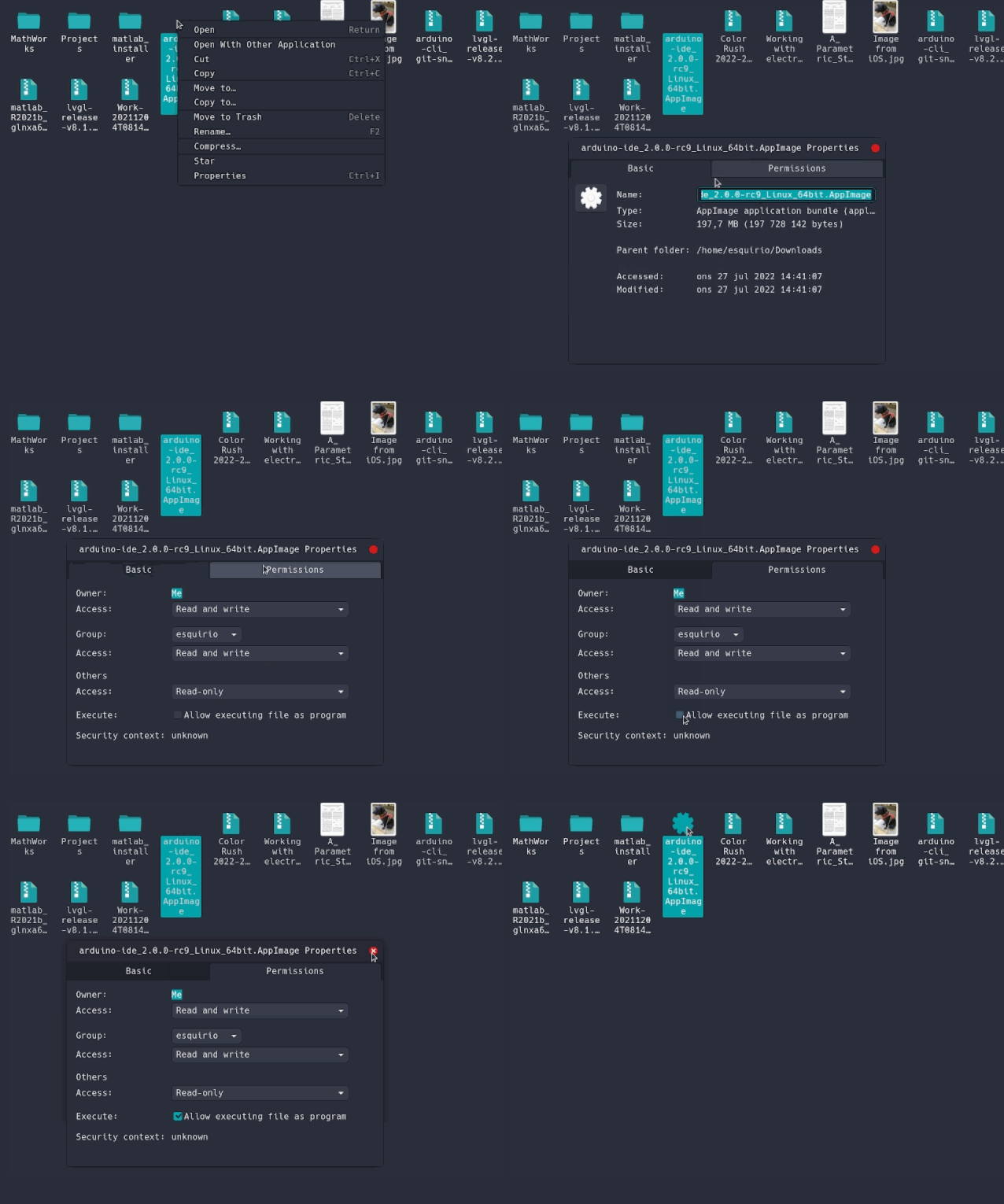
You can now double click the file to launch the Arduino IDE 2 on your Linux machine.
- Details
Allonis Product Document Library
The first step is to install myServer 6. We recommend a dedicated system to run myServer 6.
If Allonis is programming the system and assisting with the installation (like a SportsBar, Restaurant, Entertainment complex commercial project), click HERE.
If you are an Allonis dealer and programming the system yourself or are a Do It Yourself (DIY) residential customer, we are currently revising the documentation for the latest and greatest (2/2/2024). Here is a link to get started with myServer.
You can also peruse the documentation library on the Left of this page. Either Type in your key word (like "Samsung" or, "DirecTV", or "SmartRemote") in the Filter Box or navigate the library with the Documentation drop down.
- Details
Allonis Product Document Library
The first step is to install myServer 6. We recommend a dedicated system to run myServer 6.
If Allonis is programming the system and assisting with the installation (like a SportsBar, Restaurant, Entertainment complex commercial project), click HERE.
If you are an Allonis dealer and programming the system yourself or are a Do It Yourself (DIY) residential customer, we are currently revising the documentation for the latest and greatest (2/2/2024). Here is a link to get started with myServer.
You can also peruse the documentation library on the Left of this page. Either Type in your key word (like "Samsung" or, "DirecTV", or "SmartRemote") in the Filter Box or navigate the library with the Documentation drop down.
- Details
this is a test of the joocart quantity update
Input Form
Number of Video Sources?
Number of TVs?

Fini
- Details
this is a test of the joocart quantity update
Input Form
Number of Video Sources?
Number of TVs?
[joocart_product product_id="320" show_title="0" show_description="0" show_image="0" image_height="150" image_width="150" show_price="1" show_rating="0" show_add_to_cart="2" add_notification_div="1" quantity="product1joomlainput1"]
Fini