
- Details
INSTRUCTIONS & INFO
-
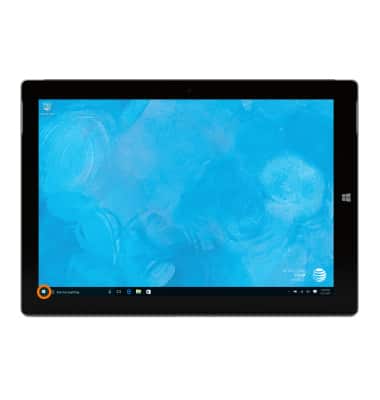
Tap the Start icon or Windows button.
-
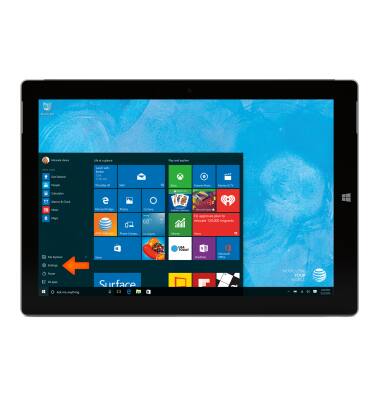
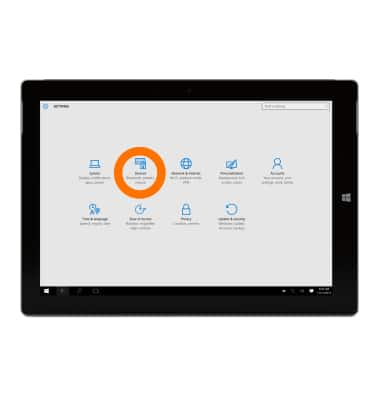
Tap Settings.
-
Tap Devices.
-
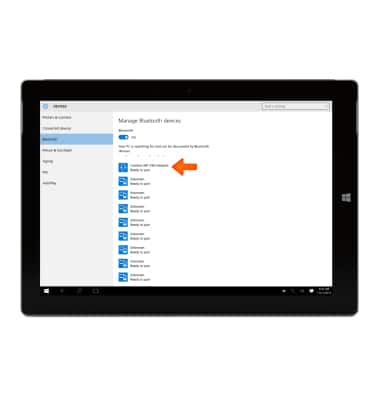
Tap Bluetooth, then swipe toggle On to activate Bluetooth.
Note: To optimize battery life, turn Bluetooth off when not in use.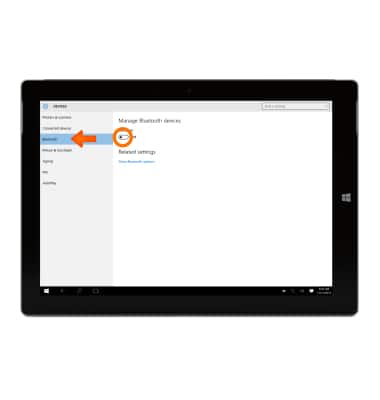
-
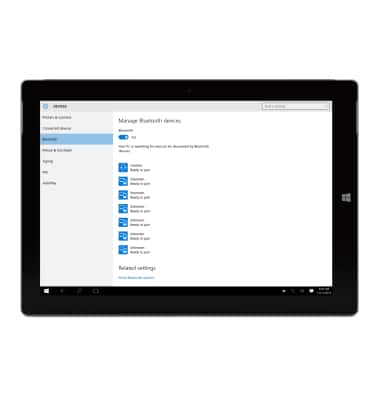
The device will automatically search for discoverable Bluetooth devices.
-
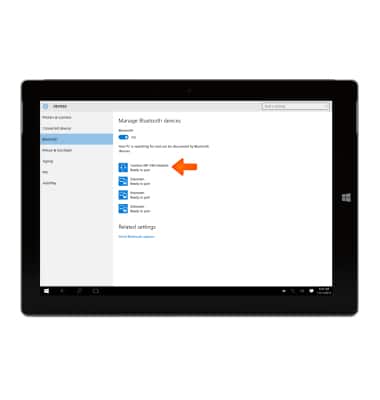
Tap the desired device to connect with.
-
Tap Pair.
Note: If prompted, verify the passcode displays on both devices, then tap Yes.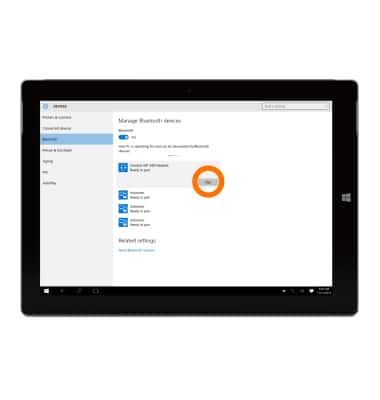
-
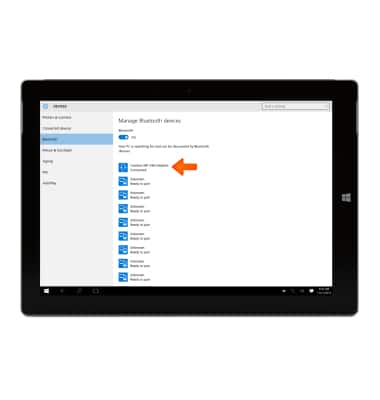
To unpair, from the "Manage Bluetooth devices" screen, tap on the Desired device.
-
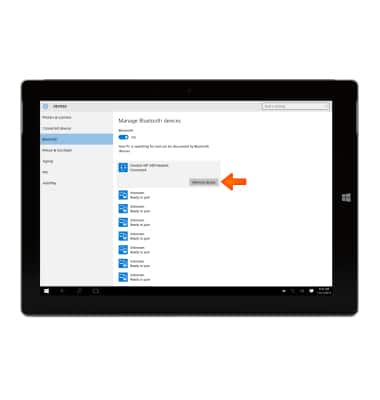
Tap Remove device.
-
Tap Yes.
Note: If you are having trouble pairing/unpairing your device with your vehicle, please refer to your vehicle's user manual for additional information.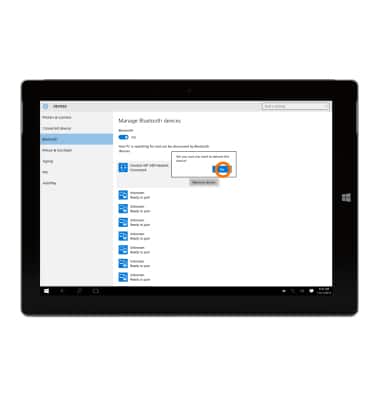
-
To turn Bluetooth off, return toggle the Bluetooth switch to Off.
Note: For additional information on pairing see Pair Bluetooth Accessory.