

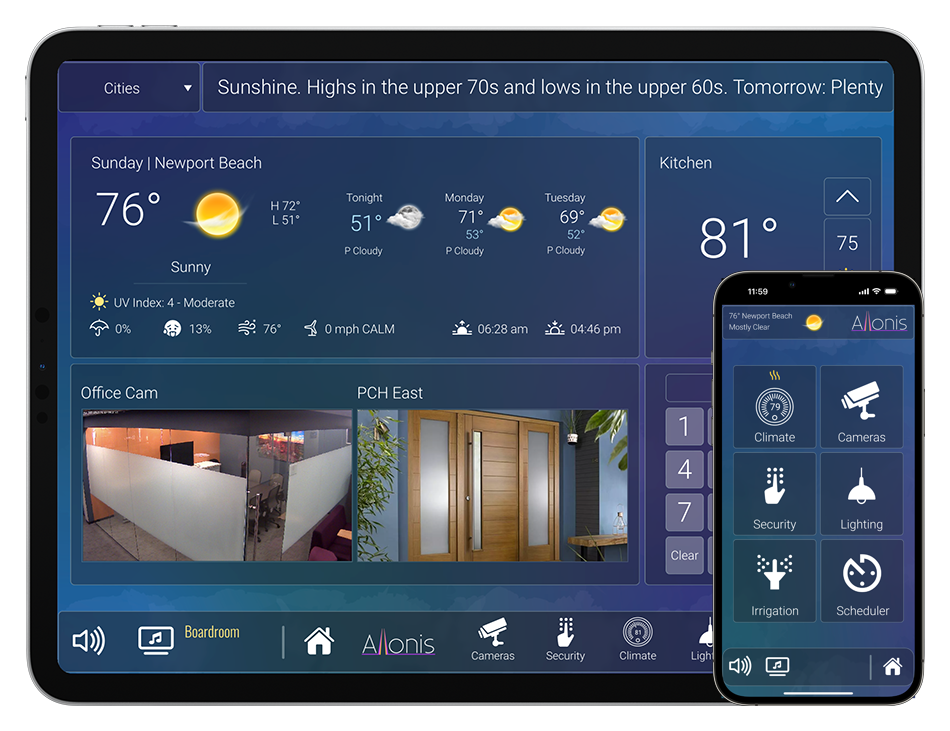

myServer 6 has the capability to display live video in the user interfaces.
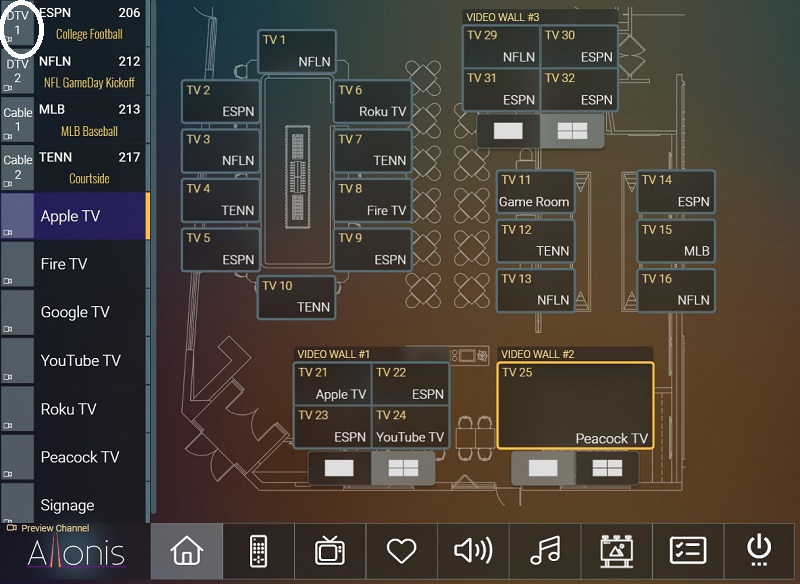
If you click on Allonis.com SportsBar Demo, click on the video source icon (top left "DTV1") for example. This example shows a canned video file located on allonis.com webserver but it could be a live stream as well. It can be a live IP camera view as well.
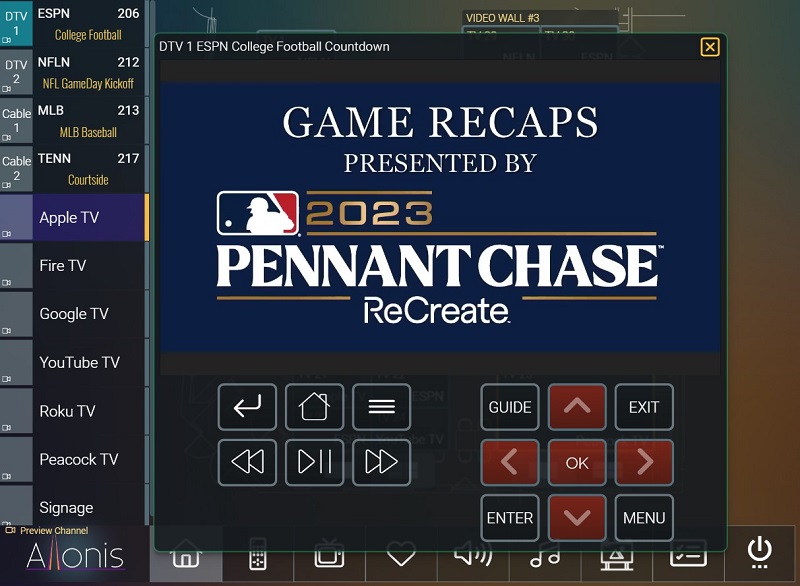
Example of displaying a DirecTV receiver connected to myPreviewer. Note the on screen controls to change the channel.
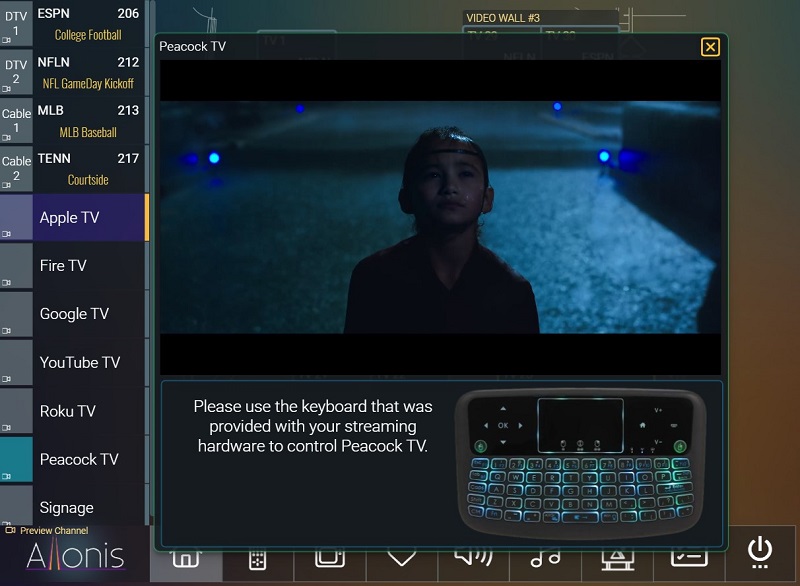
Example of a Peacock Chromecast receiver connected to myPreviewer. Note: no controls are possible. Player keyboard only.
There are several supported ways to Preview. Some of them are listed below. Each depends on the hardware that is part of the overall system.
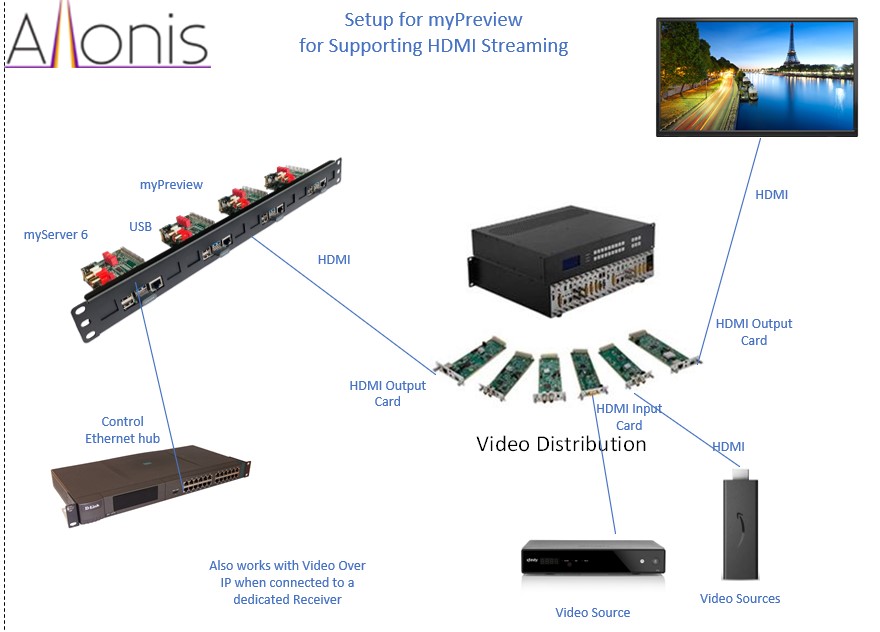
Previewing any HDMI video source
To capture a live HDMI video feed, this requires additional hardware Allonis provides called "myCapture". There is an HDMI Input, and a passthrough HDMI Output that connects to a TV / Monitor. The Monitor can be placed in or proximate to the equipment rack as another way to "preview"
In full featured SportsBar system, there typically is a video matrix. If so, then the myCapture hardware is typically wired to a dedicated video matrix output card. myServer user interface is then programmed by Allonis to switch the desired video source ("DTV1") to the myCapture output. myCapture / myServer 6 then encodes the HDMI video source so that the myServer 6 user interfaces can render the live video feed with very little latency (lag).
Each myServer 6 controller can encode up to 2 video feeds from the HDMI myCapture hardware at once. Each video feed requires one myCapture hardware. But, for Previewing capability, typically only one is needed since there isn't a need to preview more than one video source at once. If more than 2 are needed, Allonis can provide additional hardware to meet that need as well. The Allonis.com demo shows example of 1 myCapture hardware as only one preview window is open at any one time.
The 2 encoding limitation does not apply to live streams: Multiple live IP cameras can be displayed at once like to monitor security cameras as they are already encoded and do not require the myCapture HDMI connections like HDMI devices do.
Here is myPreview for any HDMI video source (not just specialized Video Over IP hardware that supports native Previewing)
Previewing Video over IP video sources
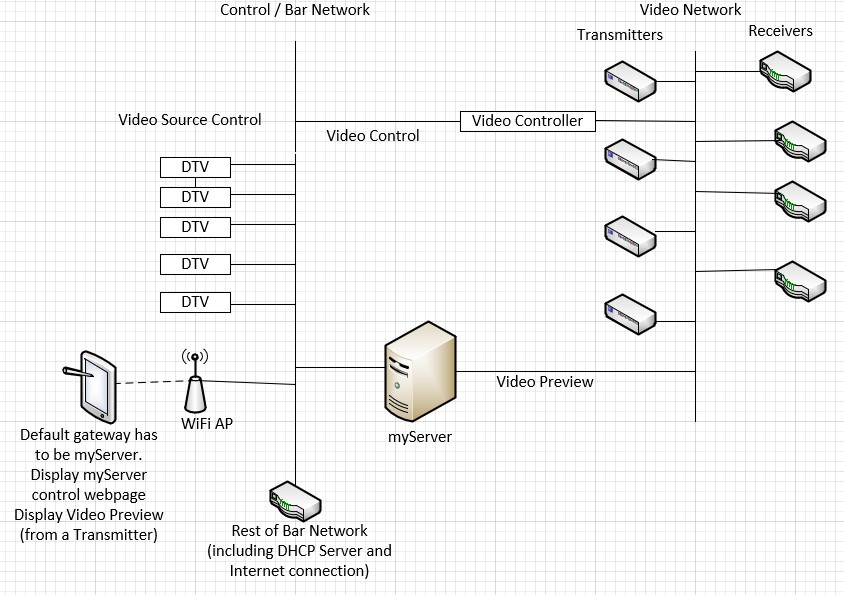
Some Video Over IP matrices that Allonis supports can be viewed directly without any incremental hardware. Contact Allonis for details on these capable systems.
As the "Video Network" is (should be) isolated from the "Control Network", this approach requires myServer having two "NIC" interfaces (can be easily added via an inexpensive USB to Ethernet adapter or if myServer is running on a two NIC "router" hardware).
Here is a network diagram example of how it is wired:
The myPreview system is very customizable and can be challenging to implement with the many different ways it can be used. Contact Allonis to assist engineering and for a quote to add myPreview to your custom made control system!