

• Try Us Out - See our Demo Tabs Above

    Sports Bars

    Experience our Sports Bar TV, Audio and Lighting Control System with our awesome demo! We provide multiple TV control systems that will easily integrate your Audio/Video and environmental components into one easy to use package. Let multiple hand-held remotes be a thing of the past and experience hassle free one-touch control. With the versatility of myServer 6, you may be able to retrofit existing equipment into the control system which makes it economical to get the most value out of your technology investment.

    Residential

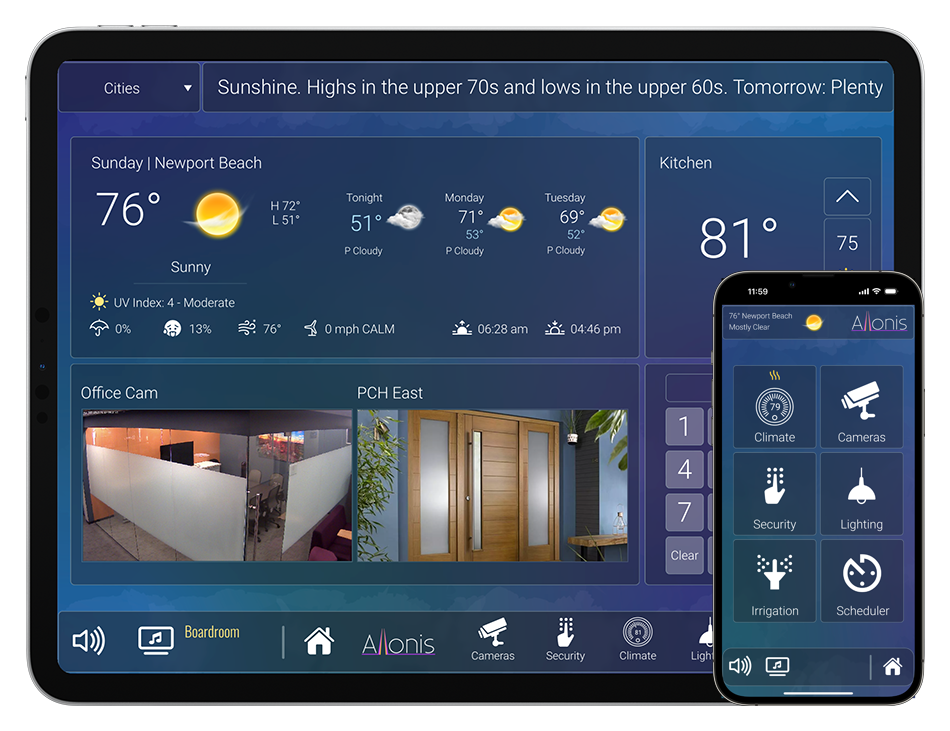
    With a whole new exciting look and feel our transparent "Moonlight" user interface allows clarity and ease in maneuvering your lighting floor plan, climate control, security cameras, and security keypad as well as entertainment options. Control all aspects of your home with simplicity and confidence.

    Digital Signage

    Allonis makes it easy to control and launch your media content. We have created software that ties in seamlessly to your bar or restaurant control system. Upload new images and videos, discard old ones, decide what to play or post and where with just a few selections.

  • Sports Bar & Restaurant Demo

    Select a source on the left and then select the TVs you would like to change on the right.

    Along the bottom are options for a DirecTV remote, TV Guide, Audio, Favorites & AppleTV. In addition you can touch the video camera on the left hand source options to get a live preview of what's playing on that source. Be sure to click around and try everything.

    Read More


    Customer Listening Experience

    Pan from left to right and up and down to see all the TVs.

    Customers can select the TV closest to them to tune in to the audio.

    Read More


    No Floorplan Option.

    If you are not interested in a navigable floor plan we can provide a generic interface instead.

    The same features are supported.

    Read More
  • Residential Demo

    Below is our residential simulation.

    Be sure to click around and try everything. Read more about the UI below.

    Read More
  • Digital Signage

    In the large window select a player on the left. Then select an option layout on the right. Select available assets from the list provided. You can add a ticker of either a message or weather by checking the boxes. When you are finished making selections click “send to player”. Your choice will appear on the corresponding player above. To pause a video click the player once.

    Read More
  • SmartRemote Demo

    Below is our SmartRemote simulation.

    Be sure to click around and try everything. Read more about the UI below.

    Read More

Our Products

See the latest myServer 6 products, available for individual purchase or part of a custom Allonis system built especially for your project.
Software
Hardware
Sports Bars
Services

mydesigner surfacepro

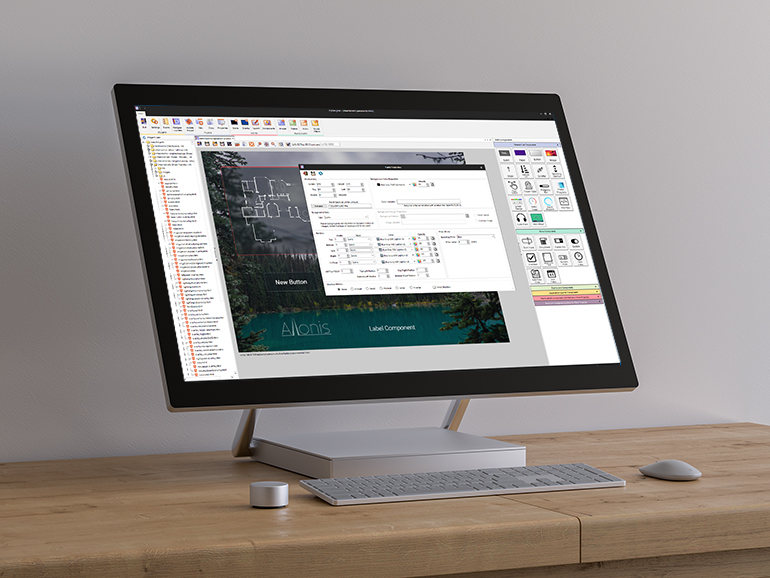
myDesigner 6 is a unique and sophisticated tool for editing our standard v6 user interfaces or creating personalized ones specific to your business or residential needs. Integrators have the freedom to create what they want their customers to see and how they want them to use the system.


The V6 UI

Our version 6 software user interface (UI) also referred to as “Sheer” comes as a collection of customizable pages designed for both tablets and phones. Based on industry standard web technologies the Designer gives you the ability to easily modify every element on the page. Change text, colors, images, objects and programming as you desire. The features and possibilities are endless. In many instances you may want to just change text or an icon, place a new button or image all of which are achievable quickly with myDesigner 6. Pages are immediately updated and reflected on the UI when you refresh the page.


FEATURES

  • Define and create new projects or edit existing one.
  • Manage project files and properties.
  • Image and background control.
  • Drag and drop buttons, text labels and widgets.
  • Button and image sizing and styling under properties.
  • Select  font, text size or choose from thousands of Font Awesome and Material Design icons.
  • Button programming using state variables and macros.
  • Standard Material Design colors as well as additional full color palette.


requirements

myDesigner 6 is designed to run on Windows 10 or newer. 


how to get

When you purchase myServer 6 be sure to add the myDesigner 6 product in the shopping cart. There is no charge for the application as long as it is purchased with myServer.