


What is a HDMI matrix switcher?
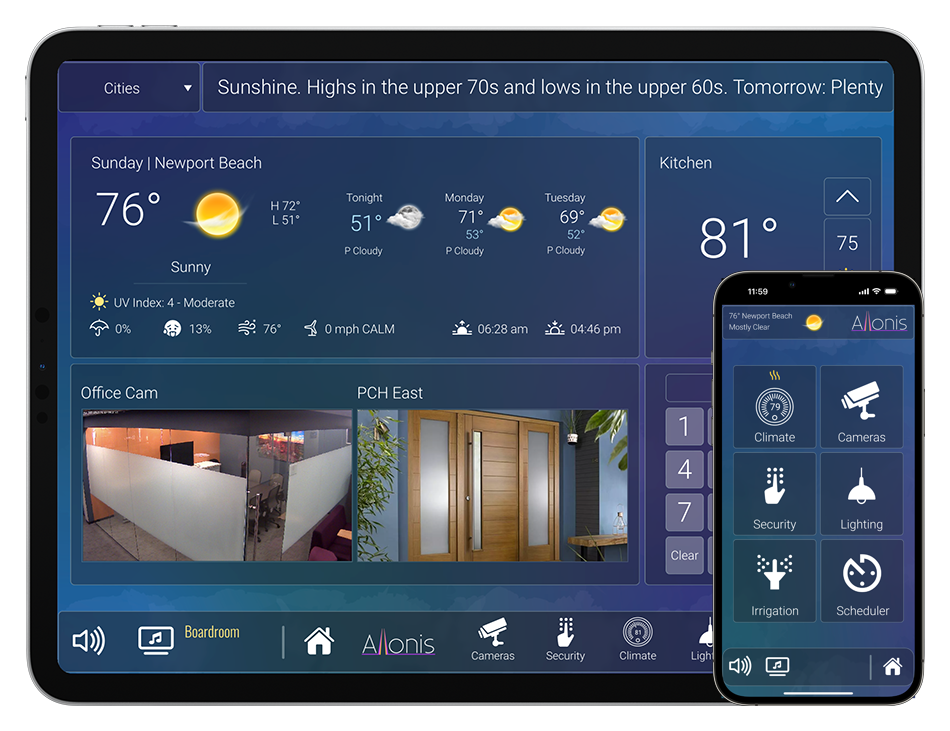
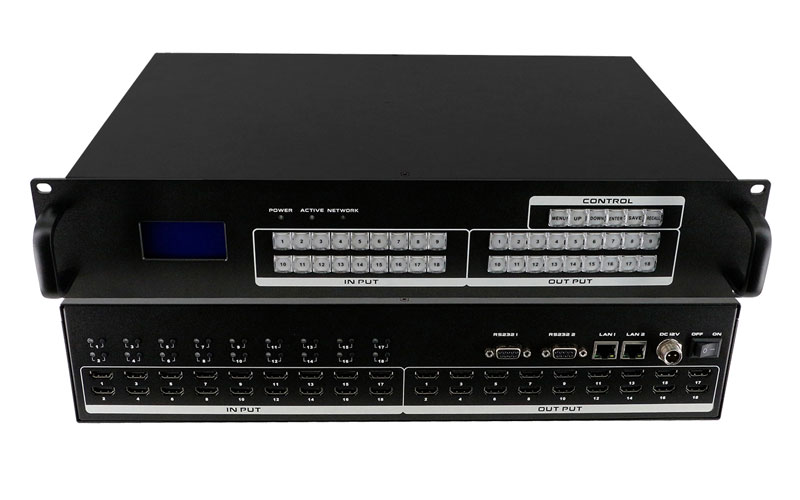
First of all, the HDMI matrix switcher is also known as the HDMI video matrix, so in simple terms, the HDMI matrix is a multi-input and multi-output device that integrates the HDMI signal distribution function and the HDMI signal switching function [the HDMI matrix contains Audio, audio and video should be switched synchronously], the HDMI moment can output multiple HDMI signals at the same time, and can also distribute 1 HDMI signal into multiple outputs. We can see that the common HDMI video matrix generally supports panel switch control and infrared remote control switch control; some HDMI matrix supports RS232 control, LAN connection control, SPDIF optical digital audio output, external IR infrared input, etc. Allonis myServer always uses the TCP port for control when available. In the HDMI version, most of the HDMI matrix supports HDMI 1.3 or 1.4, [the matrix can support up to HDMI 2.0 up to 4k@60Hz].
What is the use of the HDMI matrix switcher?
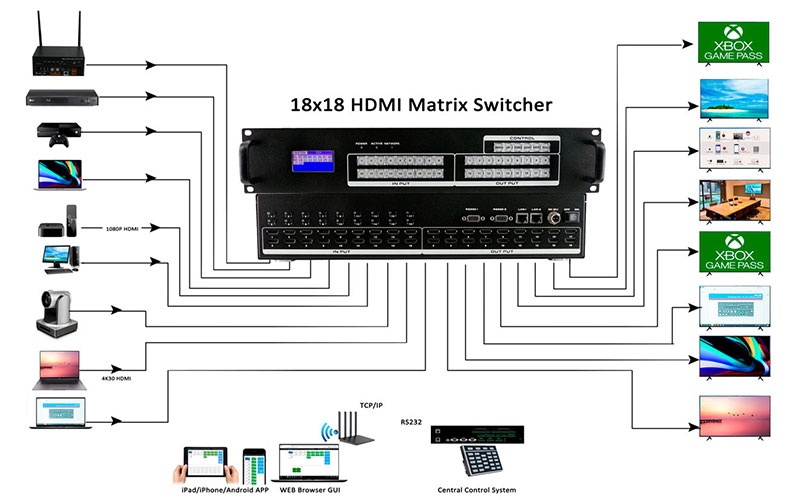
We can see that the common HDMI video matrix has 4 inputs and 4 outputs, 8 inputs and 8 outputs, 8 inputs and 16 outputs, 16 inputs and 16 outputs. It is mainly used between multiple signal source hosts and multiple displays (spliced screens, etc.). According to the needs of different periods, it can quickly realize the switch between the signal source and the display without rewiring or replugging the host. For example: a traffic command center, each intersection is a video input, when you need to monitor all intersections, you can choose 1 to 1 output, when you need to view the detailed status of a certain intersection, you can directly stitch it the monitor zooms in to view the screen.
How do you use a HDMI matrix switcher?
When we get the HDMI matrix switcher, we should first check the manual to understand the function of each interface and button, and then connect the signal source, display and HDMI matrix according to the connection diagram, then connect the HDMI matrix ground wire, and finally connect it. The power adapter is used to power the matrix on.
Control of the HDMI matrix switcher
myServer controls the video inputs and outputs based on the position they occupy in the matrix chassis. So ID 1 is at the top of the chassis left to right and then down to the bottom of the chassis.
| Specs | Lite (4K/30) | Standard (4K/30) | Standard (1080p) | Pro (4K/60) | Fast (1080p) | Wireless (4K/30) | Plus (4K/30) | Gold (w/Video Wall) |
| Chassis Sizes | 8x8 (2U), 16x16 (4U), 32x32 (8U) | 9x9 (2U), 18x18 (4U), 36x36 (8U) | 80x80 (16U), 160x160 (31.5U) | 9x9 (2U), 18x18 (4U), 36x36 (8U) | 9x9 (2U), 18x18 (4U), 36x36 (8U) | 4x4 (2U), 8x8 (4U), 16x16 (8U) | 8x8 (2U), 16x16 (4U), 32x32 (8U) | 17 (2U) and 36 (4U) Total Cards |
| True HDMI Matrix Switcher | Yes | Yes | Yes | Yes | Yes | Yes | Yes | Yes |
| Switching Speed | ~2 seconds | ~1 second | 100ms Seamless | ~1 second | 100ms Seamless | ~1 second | ~1 second | ~1 second |
| Modular or Fixed Design | Modular | Modular | Modular | Modular | Modular | Fixed | Modular | Modular |
| Built-in Video Wall Processor | No | No | No | Yes | Yes | No | No | Yes |
| 1080p 4:4:4 | Yes | Yes | Yes | Yes | Yes | Yes | Yes | Yes |
| 4K/30 4:2:0 | Yes | Yes | No | Yes | No | Yes | Yes | No |
| 4K/60 4:4:4 at 18 GBPS | No | No | No | Yes | No | No | No | No |
| Number of Preset Scenes | 16 | 40 | 40 | 40 | 40 | 16 | 16 | 40 |
| IR Pass-through via the matrix | No | No | No | No | No | No | No | No |
| Dolbyvision | No | No | No | Yes | No | No | No | No |
| No. of HDMI ports/card | 4 | 1 | 4 | 1 | 1 | Fixed | 4 | 1 |
| Optional HDMI HDBaseT Wallplates | No | Yes | Yes | Yes | Yes | Yes | Yes | Yes |
| Optional HDBaseT cards w/o POE | No | No | No | Call | Call | No | Yes | No |
| Optional HDbaseT TX & RX cards w/POE | No | 1 | 4 | Call | Yes | No | Yes | Yes |
| Optional HDBaseT TX & RX with POE | No | Yes | Yes | Call | Yes | Yes | Yes | Yes |
| HDBaseT cards & TX & RX have IR | No | Yes | Yes | Yes | Yes | No | Yes | Yes |
| IR control of source devices | No | No | No | No | No | No | No | No |
| iOS & Andoid App | Coming | Yes | Yes | Yes | Yes | Android | Yes | No |
| Remote control | Yes | No, use iPad | No, use iPad | No, use iPad | No, use iPad | Yes | Yes | Yes |
| Web GUI (Browser Control) | No | Yes | Yes | Yes | Yes | No | Yes | Yes |
| RS232 port | Yes | Yes | Yes | Yes | Yes | Yes | Yes | Yes |
| RS232 control codes to switch input 8 to outputs 1, 8 and 16 | 8V1.8V8.8V16 | x1&8&16. (Remember the period) | x1&8&16. (Remember the period) | x1&8&16. (Remember the period) | x1&8&16. (Remember the period) | Coming | Coming | x1&8&16. (Remember the period) |
| HEX codes | No | Yes | Yes | Yes | Yes | No | Yes | Yes |
| LAN control | No | Yes | Yes | Yes | Yes | No | Yes | Yes |
| Software | Yes | Not needed | Not needed | Not needed | Not needed | Yes - PC Tools | Yes | Yes for VideoWall |
| Front Panel LCD display for status | Yes | 9x9, 18x18, 36x36 | Yes | 9x9, 18x18, 36x36 | 9x9, 18x18, 36x36 | Yes | Yes | Yes |
| 19' rack mount ears | Yes | Yes | Yes | Yes | Yes | Yes | Yes | Yes |
| Front panel buttons | Yes | Yes | Yes | Yes | Yes | Yes | Yes | Yes |
| Front panel handles | Yes | Yes | Yes | Yes | Yes | Yes | Yes | No |
| HDMI version | 1.4 | 1.4 | 1.4 | 2.0 | 2.0 | 1.4 | 1.4 | 1.3 |
| HDCP version | 1.4 | 1.4 | 1.4 | 2.2 | 2.2 | 1,4 | 1.4 | 1.3 |
| Number of Power Supplies | 1 | 1 and 2 on larger | 2 | 1 and 2 on larger | 1 and 2 on larger | 1 | 2 | 1 |
| myServer 6 | Yes | Yes | Yes | Yes | Yes | Yes | Yes | Yes |
| Control4 drivers | You must write your own drivers using our above code | Yes | No | |||||
| SimpleControl drivers | Yes | No | ||||||
| RTI drivers | You must write your own drivers using our code | |||||||
| URC drivers | ||||||||
| Savant drivers | ||||||||
| Crestron drivers | ||||||||
| Elan drivers | ||||||||
| HDMI cards w/embedded audio | No | No | No | No | Yes | No | No | Yes |
| Optional VGA in and out cards | No | Yes | Yes | Yes | Yes | No | Yes | Yes |
| Optional SDI in and out cards | No | Yes | Yes | Yes | Yes | No | Yes | Yes |
| Optional Component in and out cards | No | Yes | Yes | Yes | Yes | No | Yes | Yes |
| Optional Fiber in and out cards | No | Yes | Yes | Yes | Yes | No | Yes | Yes |
| Optional Composite in and out cards | No | Yes | Yes | Yes | Yes | No | Yes | Yes |
| User Manual | Yes | User Manual | User Manual | User Manual | User Manual | User Manual | ||
| Videos | Coming | See Video TAB | See Video TAB | See Video Tab | See Video Tab | Coming | See Video Tab | See Video Tab |
| Field repair kit | No | Yes | Yes | Yes | Yes | No | No | Yes |
| Warranty | 5-Years Return To Factory | 2-Years Advance Replace | 2-Years Advance Replace | 2-Years Advance Replace | 2-Years Advance Replace | 5-Years | 3-Years Return To Factory | 2-Years Advance Replace |
| EXAMPLE PRICING: | ||||||||
| 4K/30 8x8 Matrix Switch | $750.00 | $1,750.00 | 4K/60 - $5,000 | $1,000.00 | $2,500.00 | $3,500.00 | ||
| 4K/30 8x16 Matrix Switch | $1,650.00 | $2,500.00 | 4K/60 - $7,000 | $5,000.00 | $4,900.00 | |||
| 4K/30 16x16 Matrix Switch | $1,750.00 | $3,000.00 | 4K/60 - $9,500 | $2,000.00 | $5,400.00 | $4,900.00 | ||
| 4K/30 16x32 Matrix Switch | $4,800.00 | $4,800.00 | 4K/60 - $14,500 | $9,500.00 | None | |||
| 4K/30 32x32 Matrix Switch | $5,000.00 | $5,500.00 | 4K/60 - $18,500 | $10,750.00 | None | |||
| 4K/30 8x8 Matrix Switch w/HDBaseT | None | $2,600.00 | Soon | Soon | $4,700.00 | |||
| 4K/30 8x16 Matrix Switch w/HDBaseT | None | $4,299.95 | Soon | Soon | $4,300.00 | $7,300.00 | ||
| 4K/30 16x16 Matrix Switch w/HDBaseT | None | $5,000.00 | Soon | Soon | $6,000+ | $8,100.00 | ||
| 4K/30 16x32 Matrix Switch w/HDBaseT | None | $6,500.00 | Soon | Soon | $11,000.00 | None | ||
| 4K/30 32x32 Matrix Switch w/HDBaseT | None | $8,900.00 | Soon | Soon | $20,000.00 | None | ||
| 4k/30 8x8 Matrix Switch w/HDBaseT | $2,240 (*) | |||||||
| 1080p 8x16 Matrix Switch w/HDBaseT | $4,300 (*) | |||||||
| 1080p 16x16 Matrix Switch w/HDBaseT | $4,400 (*) | |||||||
| 1080p 16x32 Matrix Switch w/HDBaseT | $8,300 (*) | |||||||
| 1080p 32x32 Matrix Switch w/HDBaseT | $8,800 (*) | |||||||
| (*) Includes Separate HDBaseT Extenders | ||||||||
| NOTES: | ||||||||
| 1. Prices may change, call us at 248-918-0123 with your unique configuration for the latest price. | ||||||||
| 2. HDBaseT CATx distances are 115 feet at 4K/30 & 220 feet at 1080p/60. Call us for longer distances. | ||||||||
| 3. This is a work-in-progress document so check back often to download it often as we modify it frequenty to add/subtract products. | ||||||||